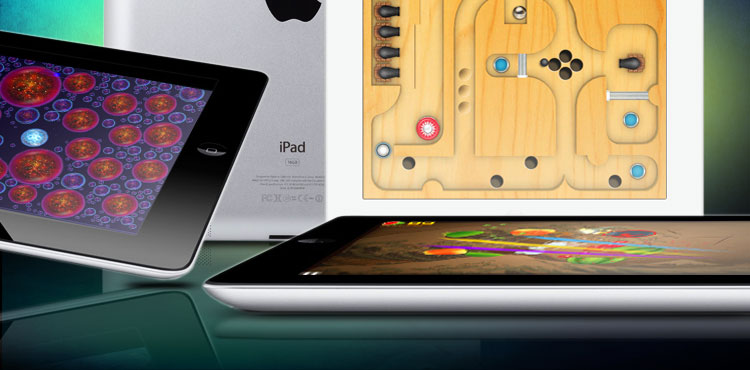
Best iPad Games

Best iPad Games

A list of the best iPad games available now in the iTunes App Store, regularly updated with great new titles and releases.

Apple fanboys may go on and on about how the iPad will change the world of computing forever, but we know why you really bought an iPad: games. Racing games, strategy games, MMORPGs, they’re all lining the virtual shelves of the iTunes App Store, waiting to be downloaded. How do you choose from a virtual marketplace brimming with so many choices — some good and some horrible? With a little help from your friends, of course. And by that, we mean us. Below are our constantly evolving picks for best iPad games.

Also check out our picks for The Best iPad Apps, The Best iPhone Games, and The Best iPhone Apps.

Bad Piggies HD ($1)

It’s about time the villains of Angry Birds got a game of their own (that isn’t a cheap clone of the original). This release from Rovio is every bit as polished as its smash hit mobile sensation and it features exactly the same cute, cartoon art style. The challenge is to construct contraptions, in the shape of vehicles or flying machines, which can convey your pigs to an end point in each level. If you’re clever, you’ll work out how to grab the bonus pick-ups along the way and hit that finish flag within the time limit. It’s creative, addictive, and offers lots of fun for the whole family.

bad piggies ipad screenshot

trigger frist icon ipad game

Trigger Fist ($3)

This reminds us of the early Counter Strike days. It’s a multiplayer, third-person shooter with a nice streamlined approach that works well for mobile devices. There’s basically no y-axis, so aiming is a simple matter of side-to-side shooting and that makes it much more accessible. You’ve got four multiplayer modes across six maps and that’s the perfect recipe for some old-fashioned fragfest fun. You can unlock a bunch of weapons, skins, and perks as you go. The AI is actually fairly decent, but multiplayer with friends or strangers is where it’s really at.

trigger frist ipad game

the room icon ipad game

The Room ($5)

Explore the mysterious and atmospheric world of The Room on your iPad. This puzzle game challenges you to unlock the secrets of a series of boxes by manipulating your view to find keyholes or sliding panels. It’s beautifully crafted, with an ambient soundtrack and totally absorbing gameplay. The creepy sense of exploration sucks you in and won’t let go, gnawing away, until you have solved the final puzzle. It is short and there’s nothing really innovative about it, but it is polished and feels like more than the sum of its parts.

the room screenshot ipad game

the world ends with you icon ipad gameThe World Ends With You: Solo Remix for iPad ($20)

You won’t find many games this expensive on the iPad, but The World Ends with You is a deep, involved mystery that combines various genres of gameplay to create an immersive experience that will keep you amused for hours and hours. This was a cult classic on the Nintendo DS and legendary Japanese developer, Square Enix, is behind it. It is a seriously stylish anime adventure with an amazing 60-song soundtrack. It is set in Shibuya in Japan and you’re tasked with defeating the Reapers through a series of missions and planned, touch and swipe combat that can get seriously chaotic. It’s typically tough to explain, but if you’re a JRPG fan then you’ll love it.

the world ends with you screenshot ipad game

Tiny Wings HD iconTiny Wings HD ($3)

Tiny Wings got its start on the small screen of the iPhone, but it is all grown up now. The premise of the game is simple: you are a bird who’s wings are too small to get you off the ground so you have to use the terrain to help you get off the ground. The game play is easy to learn but hard to master, and the whimsical art is hard to not love. With the iPad version, you get three different play styles, including a head to head mode where you and a friend compete in some rocking split screen action.

Tiny Wings HD screenshot


Asphalt 7 Heat iconAsphalt 7: Heat ($1) 

As you can tell from the name, this isn’t the first game in this series, but Gameloft seems to have gotten it right. This racing game is one part arcade racer, one part racing sim, and 100% beautiful. The graphics on this game are impressive, even more so on a retina display, but it’s the game play that will keep you coming back for more. There are several different types of challenges for you to concur, and a seemingly endless list of dream cars for you to buy. If you don’t feel like using the iPad as one giant steering wheel there is an option to have onscreen controls, but where’s the fun in that?

Asphalt 7: Heat screenshot

Castle Master 3D icon

Castle Master 3D (Free)

Don’t let the cartoonish graphics fool you this game is in depth. The goal of the game is to expand your empire, and take over nearby castles. To do this you have to build up your kingdom by taking care of your population, building infrastructure, recruit an army, all while worrying about your popularity. Leading your army into battle is always thrilling, and defeating the larger defending force never gets old. Being a free game there is of course places for you to purchase upgrades or ways to speed up your game, but they are tastefully done, and don’t get in the way of the gameplay.

Castle Master 3D screenshot

Draw Something Free for iPad iconDraw Something Free (Free)

Playing Draw Something on the iPad is almost identical to playing it on your phone. It’s just a bit… easier to get the details right. The resolution has been bumped up to work on the third iPad’s Retina display as well, though you’ll still find the menus ridiculously large. For those who haven’t played, this is a game best connected to Facebook. You draw a picture and your friend tries to guess what it is, and then vice versa. It sounds silly, but the simple ideas are sometimes the best.
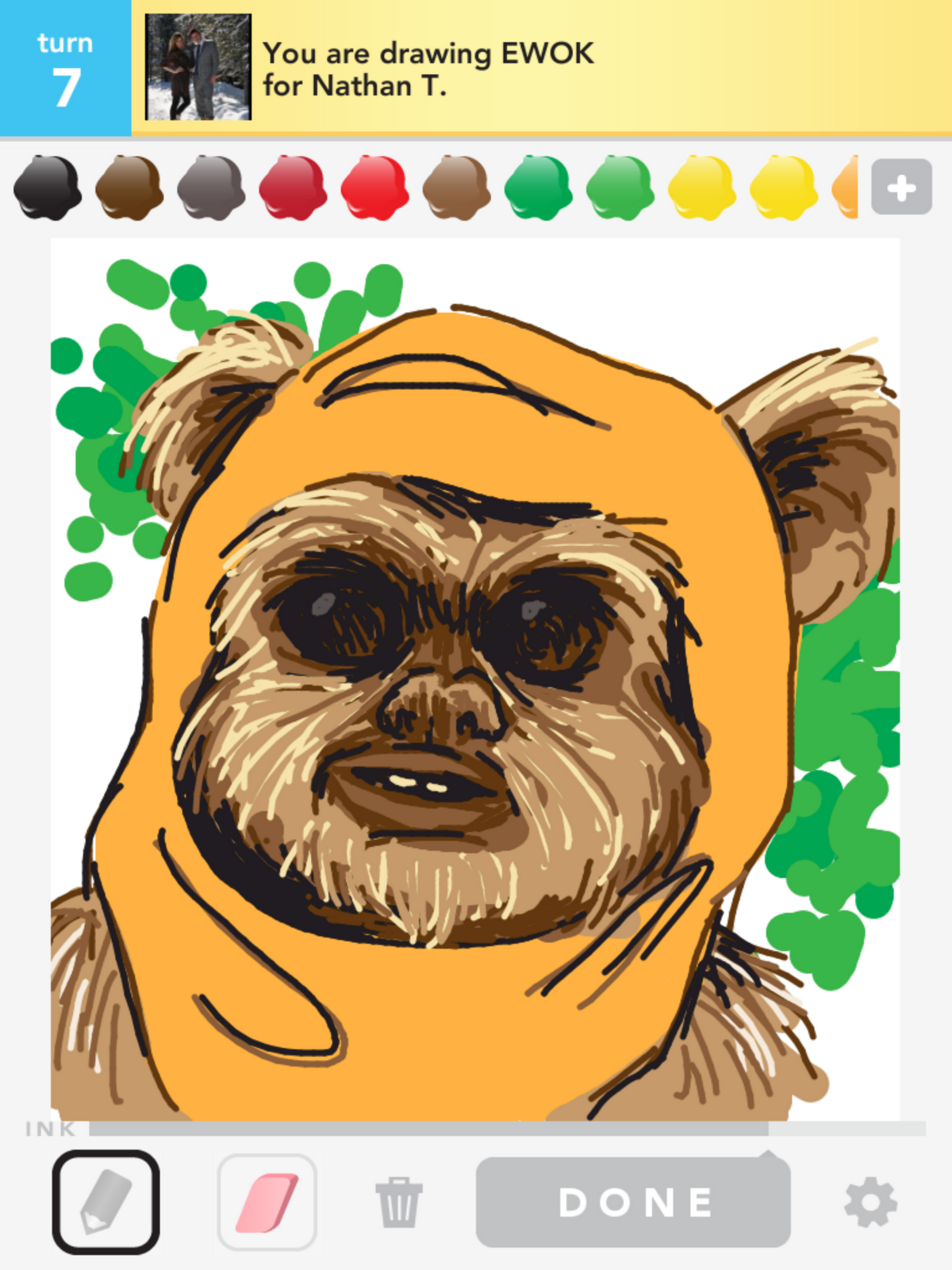
Draw Something Free Ewok from "Best of Draw Something"

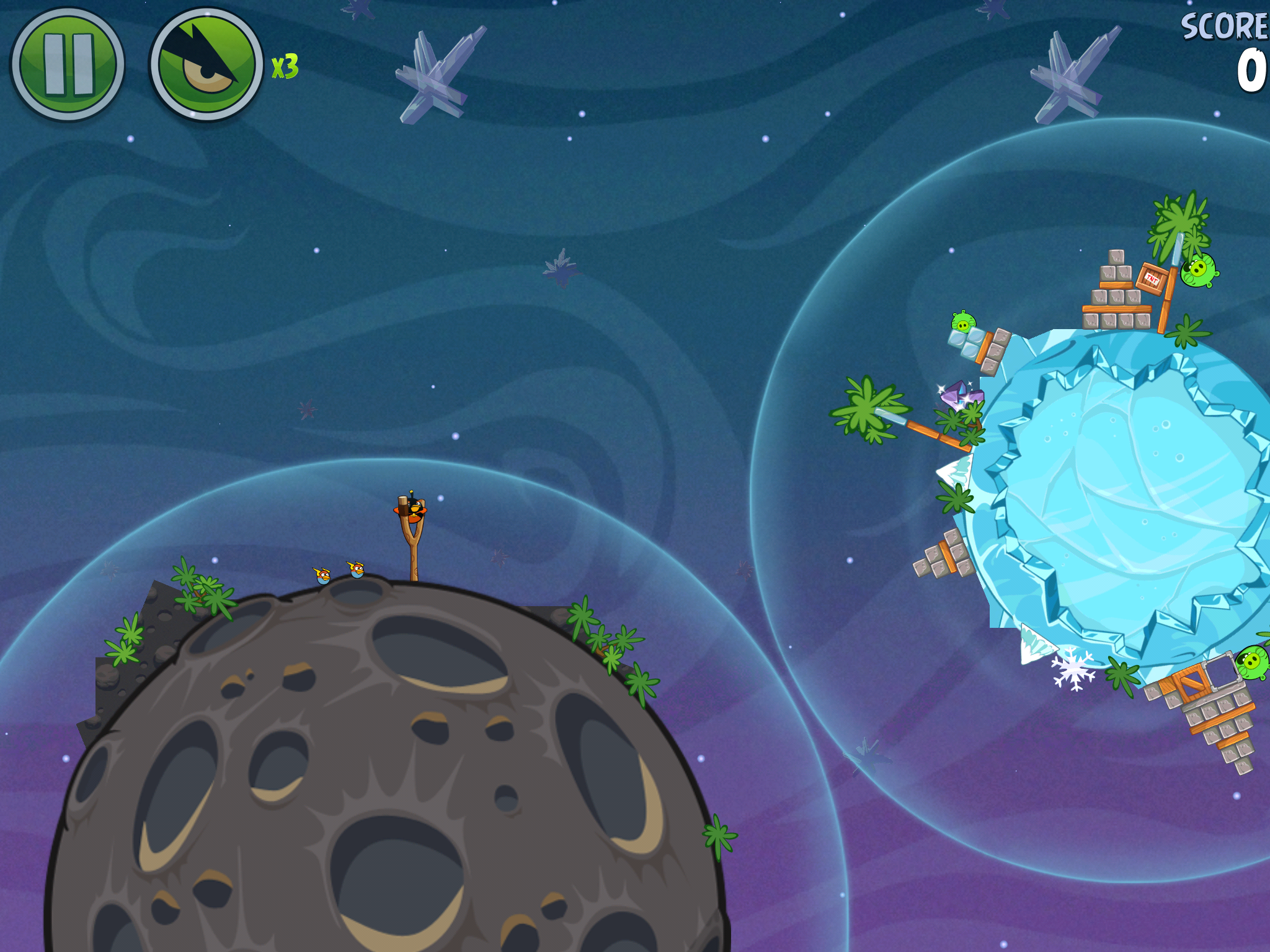
Angry Birds Space for iPad iconAngry Birds Space HD ($3)

Like its predecessor, Angry Birds Space will probably make its way to every casual games list we have, but one of the best places to play it will always be the iPad. Space takes the Angry Birds formula and changes gravity, allowing you to whip birds around planets and knock pig satellites out of orbit. It’s a bit geekier than the original, but we like it. Be warned, the difficulty of Space seems a bit uneven and the game is shorter than its predecessors. Check out our full Angry Birds Space review.

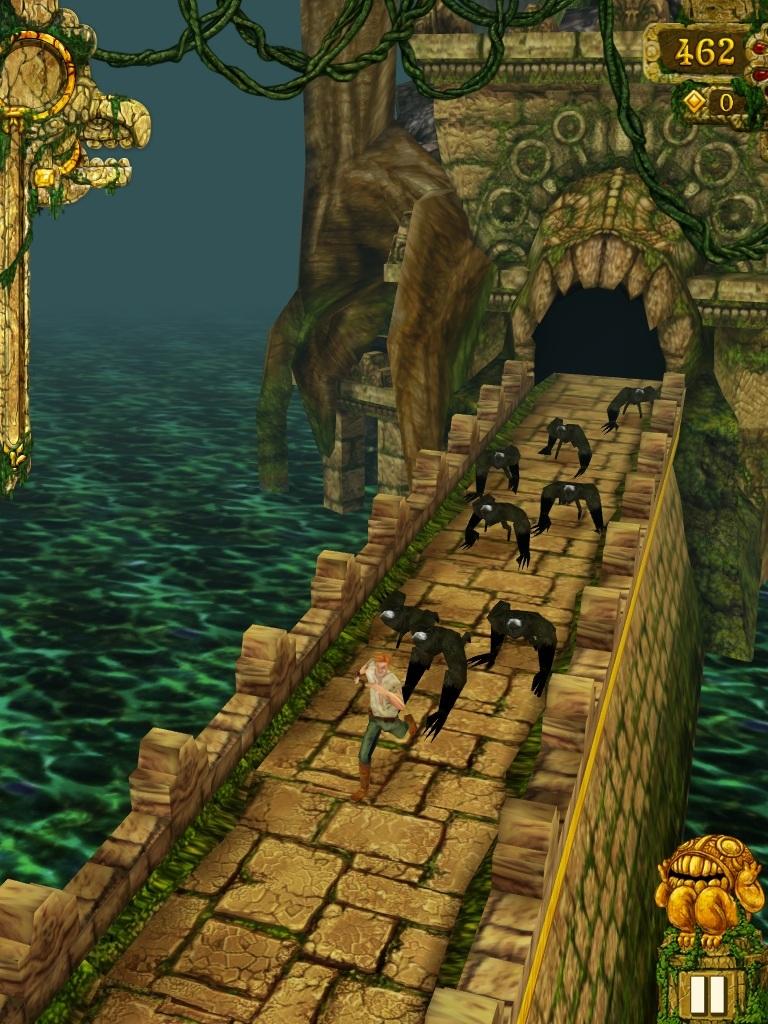
Temple Run iPad iconTemple Run (Free)

Temple Run has finally come to Android, but it’s been on iOS since 2011. The gist of the game is pretty simple. You have clearly trespassed on ancient ruins where you don’t belong and are now fleeing from a bunch of evil monkey creatures. To survive, you must swipe up, down, left, or right, and tilt the iPad to dodge obstacles and collect coins. The key to this game is its simplicity and tight controls. When you swipe down to slide, you instinctively know just how far you’ll go. The precision controls have made it a hit and definitely worth checking out.
Temple Run for iPad screenshot

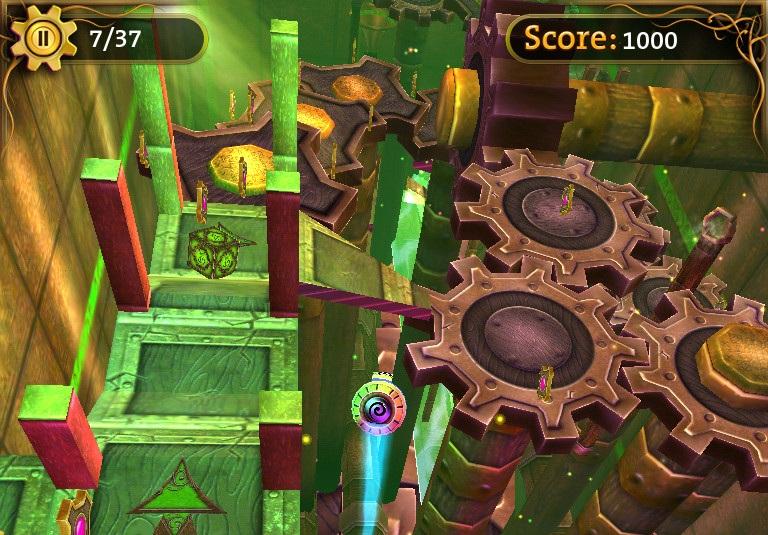
Gears iPad iconGears (Free)

Gears is a pretty, 3D adaptation of a very old type of game. You must guide a ball through a maze of gears and obstacles, collect coins, and make it to the end of each level. Games like these typically don’t have a story, but Gears is surprisingly epic. The sphere you are guiding by moving your finger around is a high tech healing device that has to make its way through the engine of an ancient city to keep its residents alive. If you fail, all of mankind will perish. Pretty heavy stuff, right? Presentation is where Gears shines. 
Gears for iPad screenshot

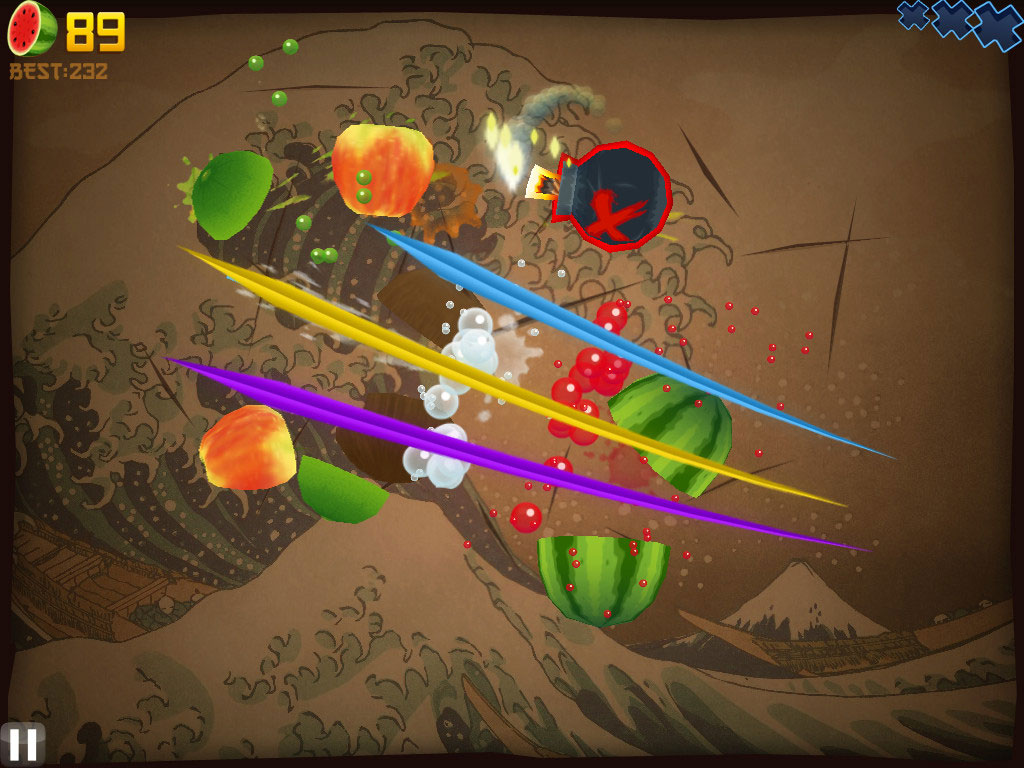
Fruit Ninja HD ($4)

This game is one of the simplest, most addictive, and most popular games in the iPad game market. Users use finger swipes to slice and dice a variety of fruits as they fly across the screen in a veritable fruit salad. Slice multiple fruits with just one swipe and you’ll get extra bonus points. The game runs on a three-strikes-you’re-out rule, only allowing users to miss three different fruits before they’re out of the game. The more fruits you slice, the better your score, unless you accidentally slice a flying bomb, in which case your game ends then and there. Several different playing modes keep things interesting, and users can play alone of in a multiplayer version.
Plants vs. Zombies HD ($7)

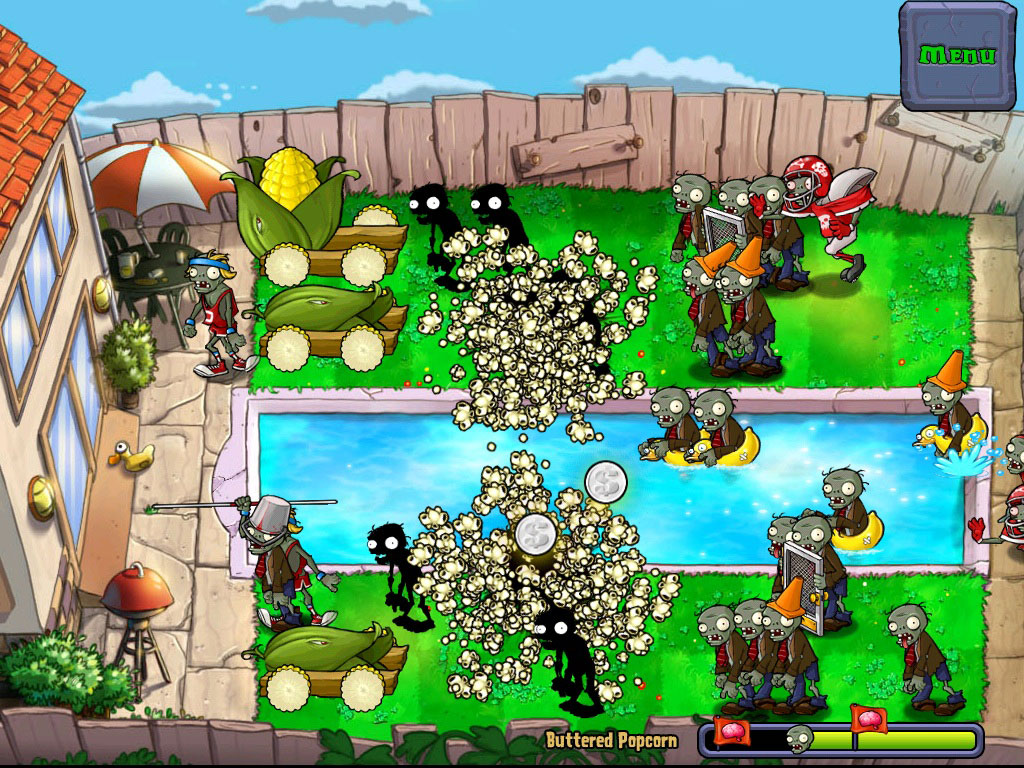
The iPad proves to be yet another winning platform for this casual gaming legend from the maestros at Popcap. As the name would suggest, you’ll need to plant a yard full of anthropomorphic mushrooms, peas, sunflowers and other vegetation to battle it out with wave after wave of invading zombies. A classic tower defense game, sure, but Popcap’s wit, achievements and colorful animation elevate it to a title you won’t be able to put down.
Angry Birds HD ($5)

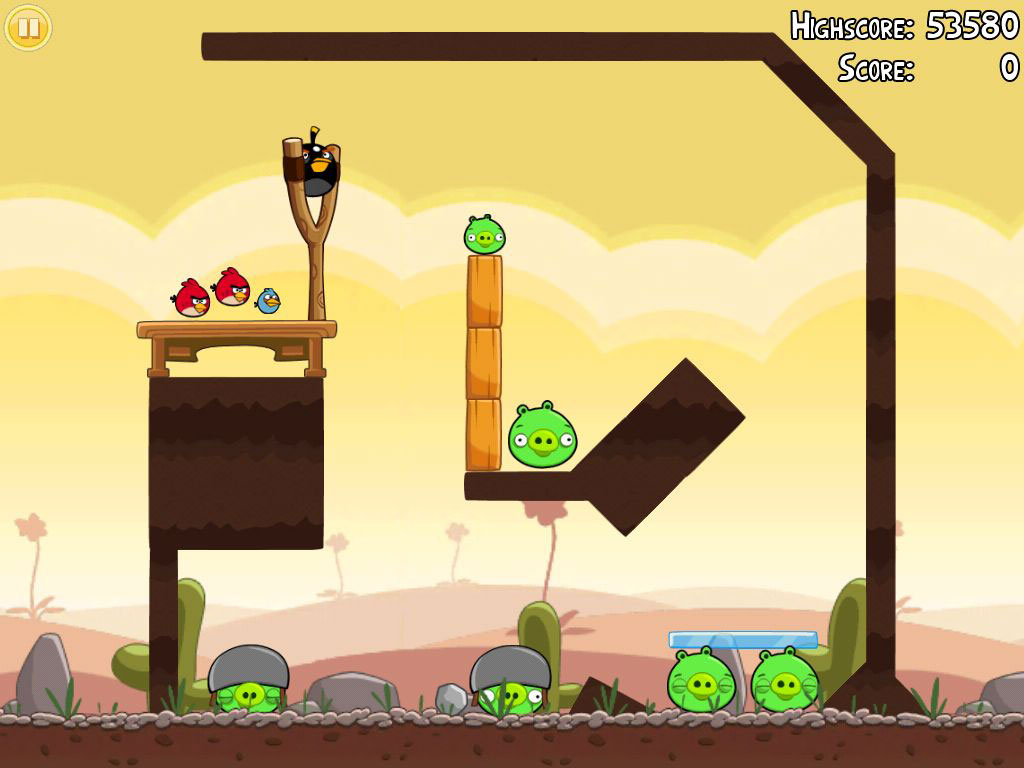
If you haven’t heard of Angry Birds by now, you’ve probably been living under a technological rock for some time. The simple action game is one of the most popular games across virtually all mobile platforms, but it first gained traction with the iPhone and iPad. The story goes that some angry green pigs stole eggs from their bird neighbors, making the birds, you guessed it, very angry. Users slingshot squawking birds towards the pigs’ fortresses in an attempt to destroy them and move on to the next level.
Harbor Master (Free)

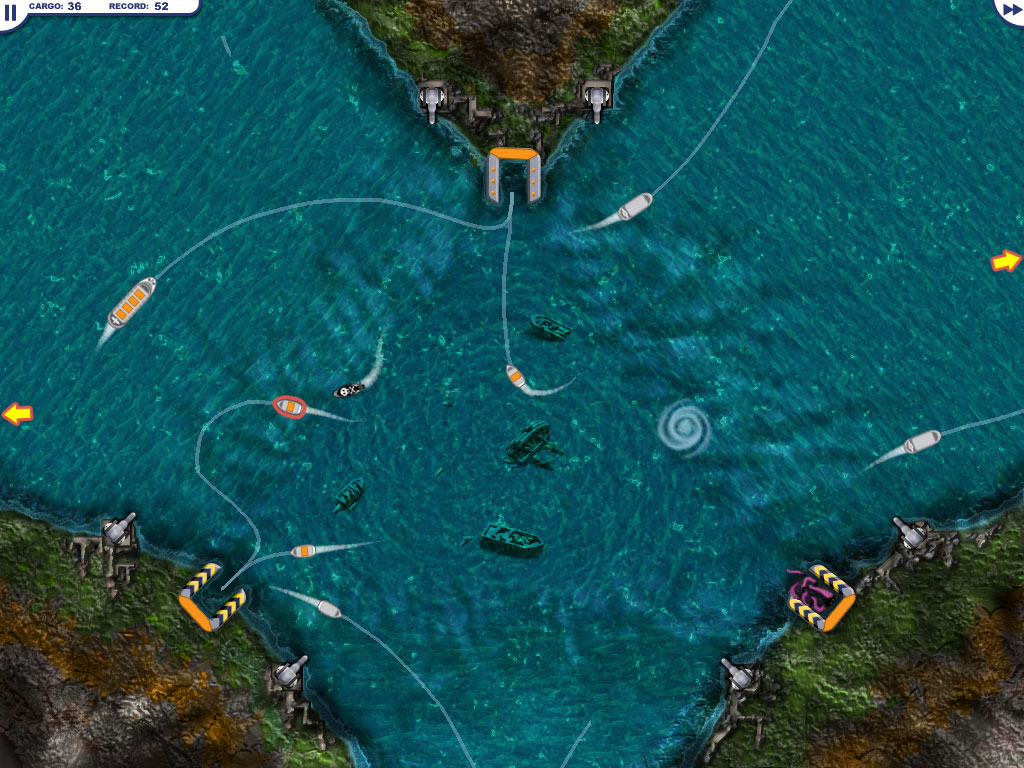
A retake on the classic Flight Control substitutes boats for planes but loses none of the fun factor in the process – and this one’s free. Players must use their fingers to direct a never-ending barrage of boats to docks for unloading and then safely out of the harbor. Lines will help you visualize where your freighters are headed, but be prepared for frantic redirection, near misses and eventually a game-ending collision when the boats start to flood in.
Real Racing HD ($5)

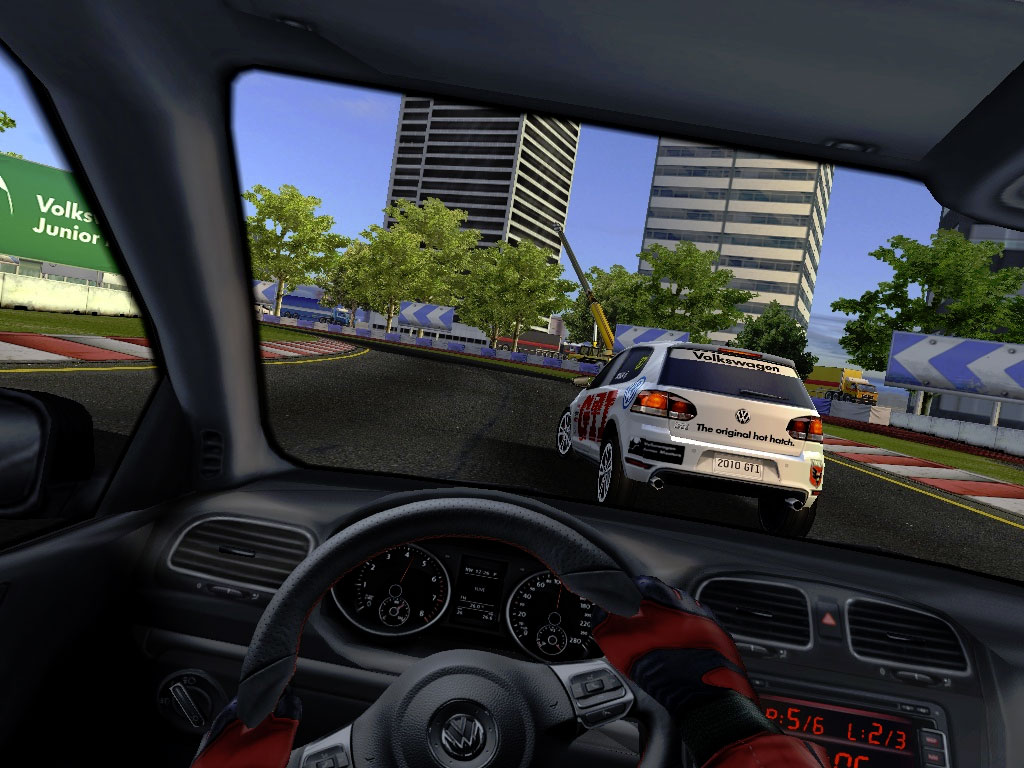
Need to justify your $800 iPad purchase to a group of skeptical friends who claim it’s just an oversized iPod Touch? Download Real Racing HD. Awkward turn-to-steer controls aside, it’s one of the best-looking games available on the system, and discards the flashy arcade-style action of Need for Speed: Shift in favor of realistic, simulator-style driving.
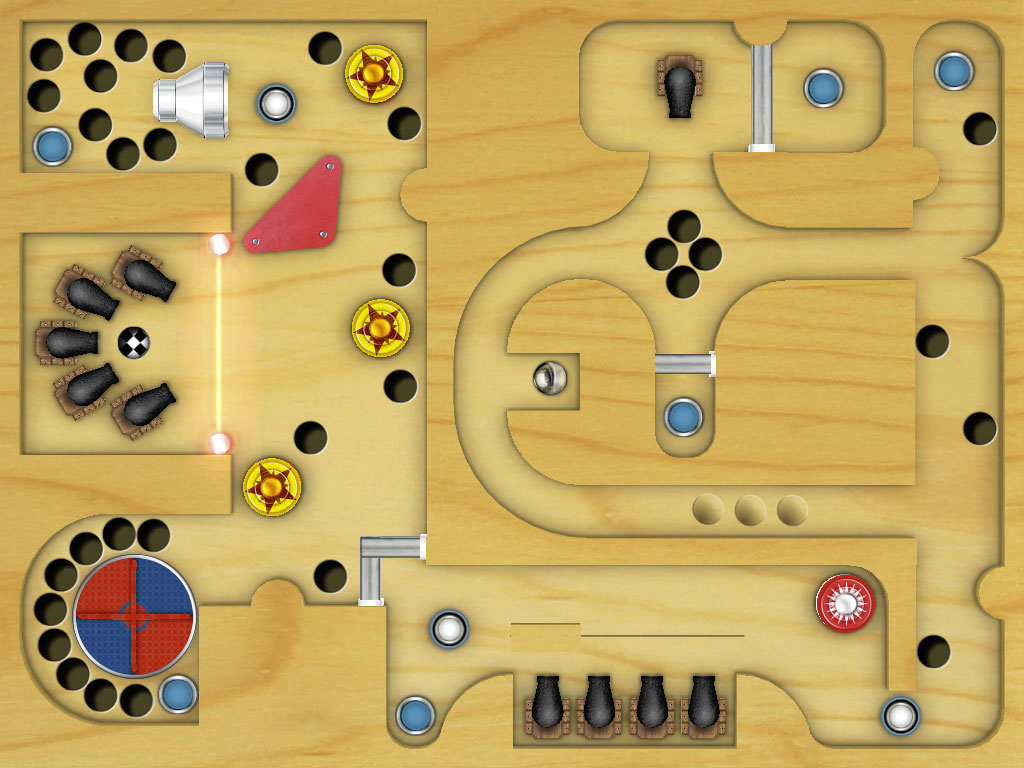
Labyrinth 2 HD ($8)

No, it’s not a sequel to the 1986 David Bowie movie shot in HD. Instead, Labyrinth 2 HD emulates the ball-in-a-maze toys you probably had as a kid, with the same object: Get the ball from point A to point B. But those wooden toys never had the same barriers you’ll find here, which include not just holes but cannons, magnets, carousels and lasers. The game responds realistically to the iPad’s internal accelerometers, and even subtly shifts the viewpoint to create the illusion you’re really looking into a 3D box. Try the “Lite” version for a taste of the game before springing for the real thing.
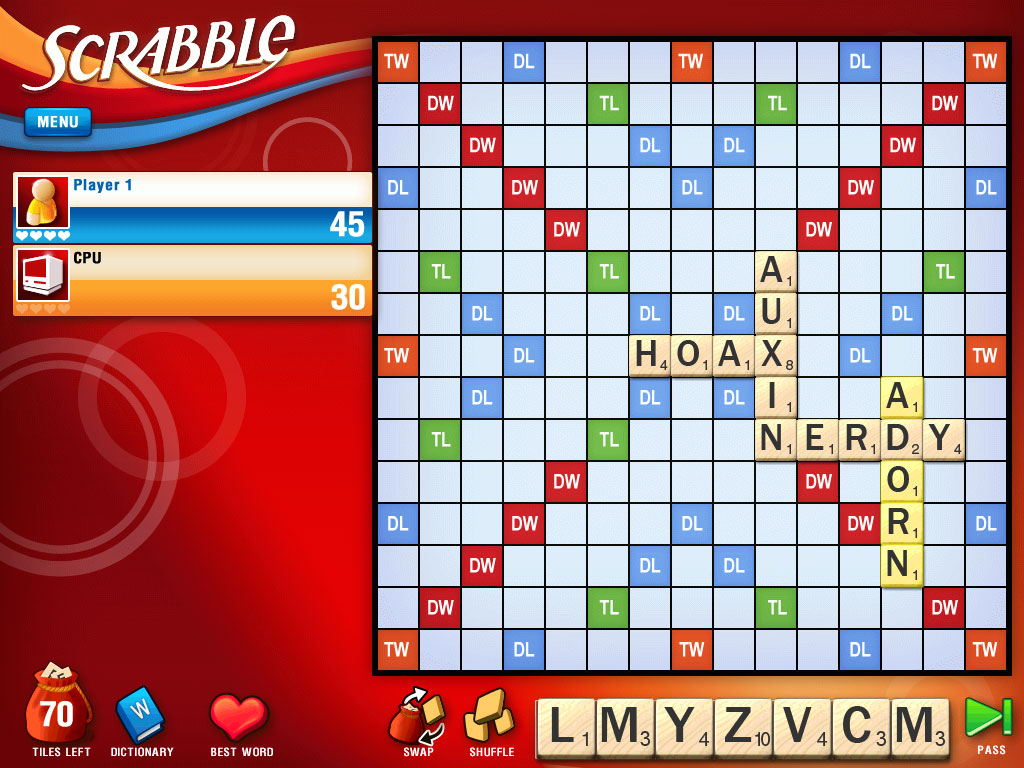
SCRABBLE for iPadScrabble ($10)

The most classic of word games has made its way to the iPad with fun features for Apple lovers. First of all, the board game looks even better than before on the comfortably-large iPad screen, making gameplay more realistic. Users can play up to 25 different matches, connect with friends on Facebook, pay the Pass N’ Play mode, or find a game via Local Networks. Second, the most innovative feature comes into play for Apple fans who want to play together in person. Now users can use iPhones or iPod Touches as personal tile racks and virtually flick tiles from a device onto the iPad game board.
scrabble-hd

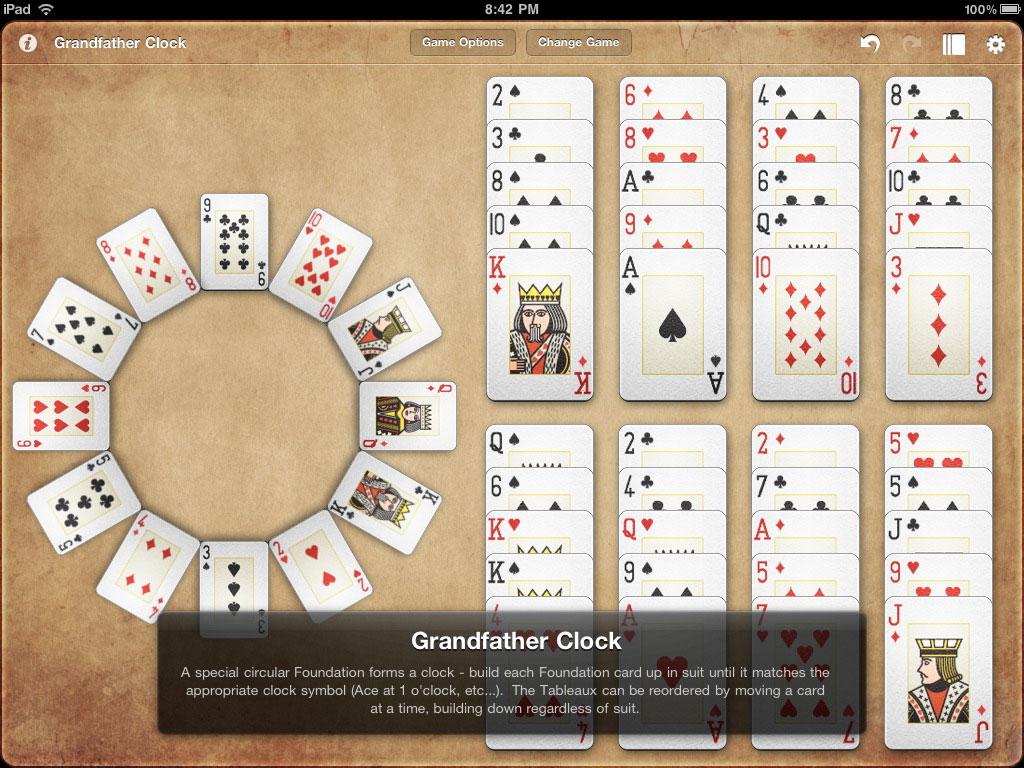
Mondo Solitaire ($6)

The same game that helped you survive mind-numbing shifts at your first cubicle job and hours stuck in school computer labs can now keep you sane on the train to work, plane to New York, or just occupied during commercials on the couch. Mondo Solitaire turns your iPad into a portable card table with the familiar Solitaire layout you know and love from Windows 3.0 and up, but with updated graphics and slick animated card flipping. The app offers “100 games and over 200 different combinations of gameplay” and is sure to contain the classics like FreeCell and Klondike along with many new games that you’ve likely never seen before.
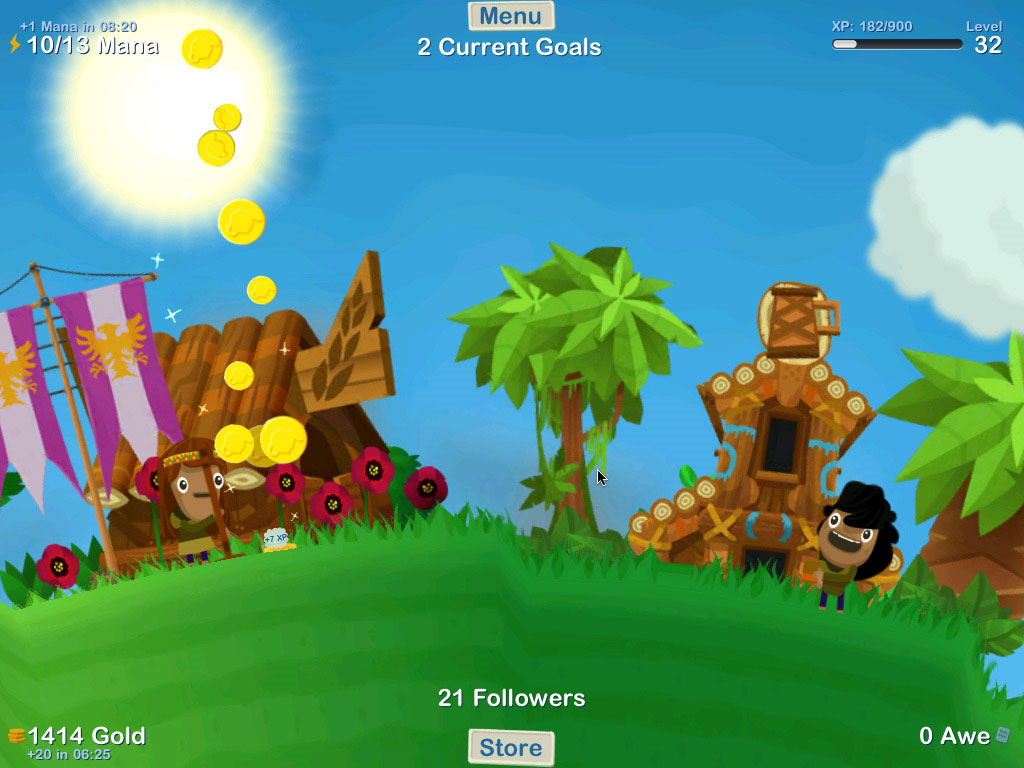
GodFinger All-Stars (Free)

Take Black & White, cuten it up for the iPad, add simplified multitouch controls and you have GodFinger: a classic god game for people who have never heard of god games. You’ll play the role of a higher power overseeing your own planet and villagers. The barren chunk of rock and sole worshipper you start with can slow grow to a lush utopian village with the right measure of rain, sun, and other divine intervention on your behalf. Although its free to play, GodFinger offers the option of purchasing “Awe Points” for your planet to help jumpstart your civilization with farms, fountains, and other frivolities.
Osmos-iconOsmos ($5)

This simple and fun kinetic action game starts out with balls made of cells, hence the science-y name. Using momentum, users must move around the screen to incorporate smaller cell balls to become the biggest and most powerful object in the game’s micro-universe. You can only incorporate objects smaller than yourself, and the more your object moves, the more mass it will lose. The game is surprisingly addicting for its simplicity, and there are plenty of levels to keep you going for hours.
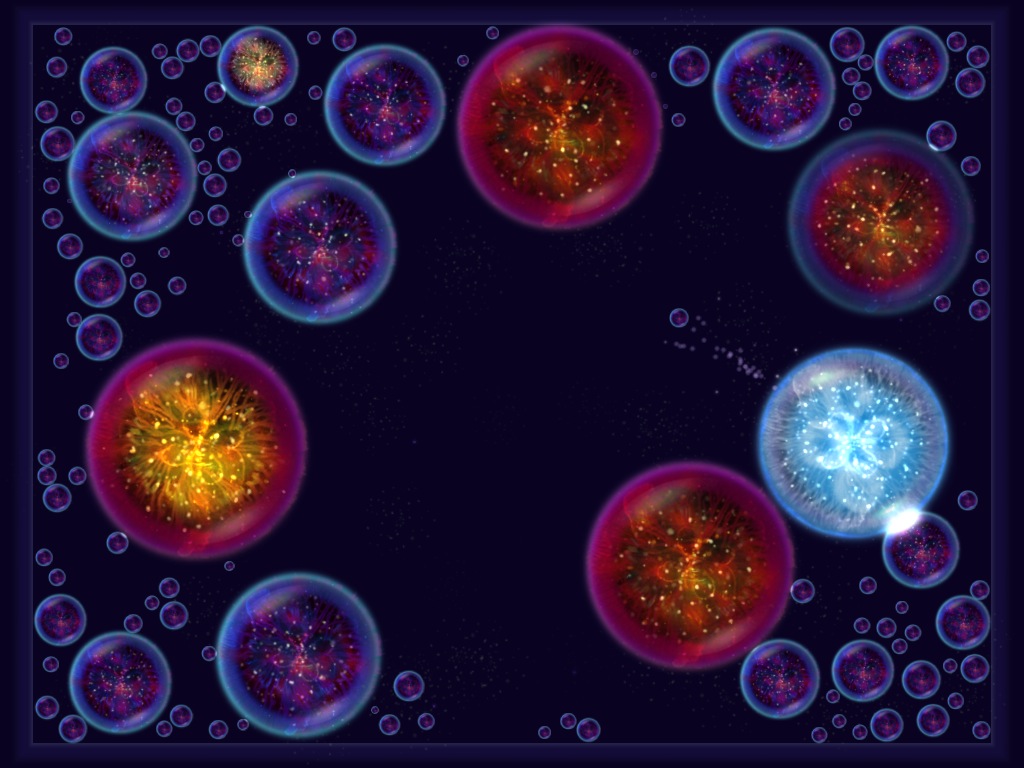
Osmos

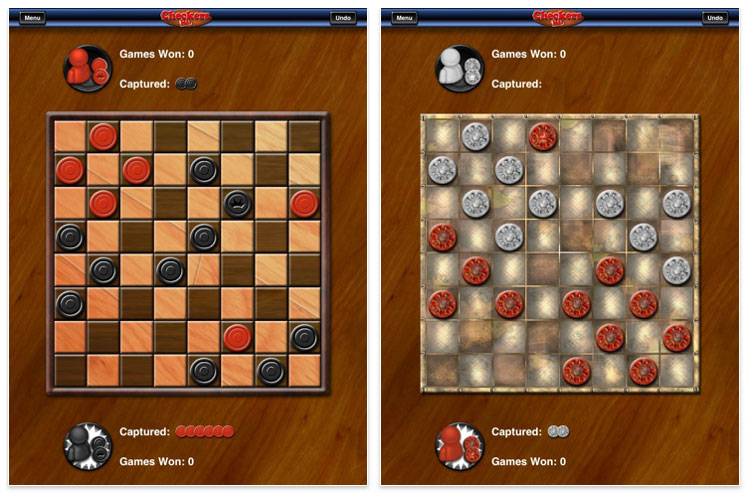
Checkers HD ($2)

It’s checkers, plain and simple. We wouldn’t venture that this reincarnation of a 12th-century board game brings anything terribly original to the iPad, but it’s a clean, well animated, and free. The computer opponents can be challenging, and if you would prefer to match wits with a human, the two player mode lets you easily play at opposite ends of the screen.
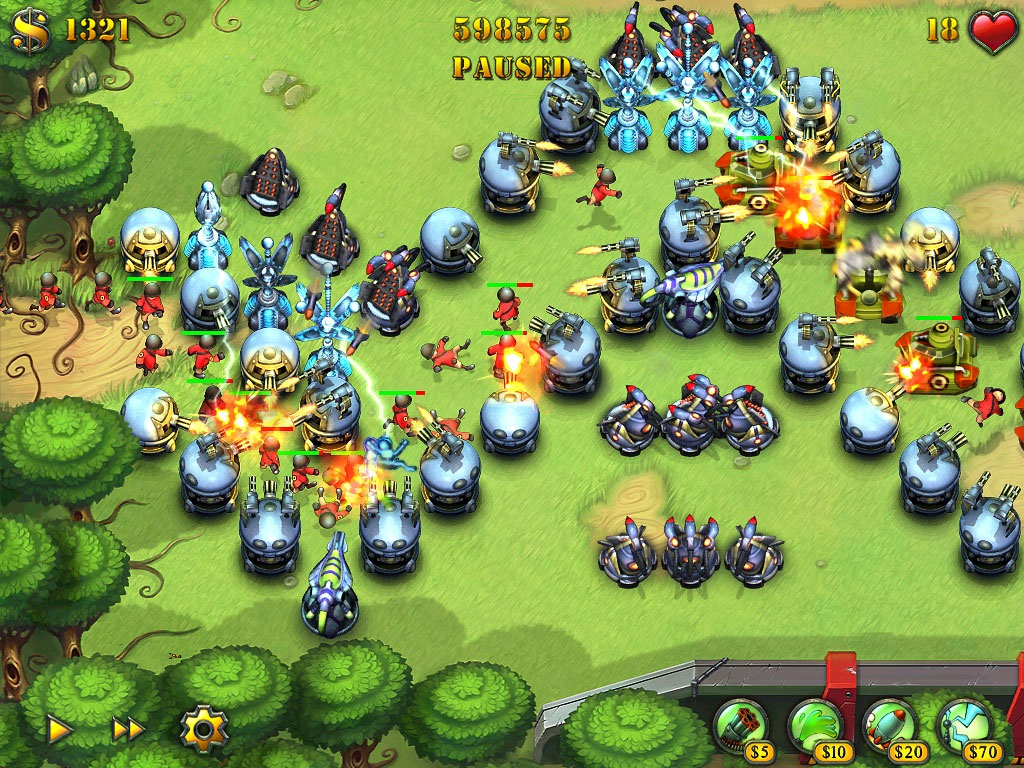
Fieldrunners for iPad ($8)

Another tower defense game along the lines of Plants vs. Zombies challenges you to build a virtual gauntlet for wave after wave of enemies to run through. Let them reach the other side, and you’re done for. The first waves will prove to be a breeze, but by the time you’re trying to stop a monsoon of planes, trucks and speedy goons on motorcycles, even the sturdiest creations start to crack apart at the seams.
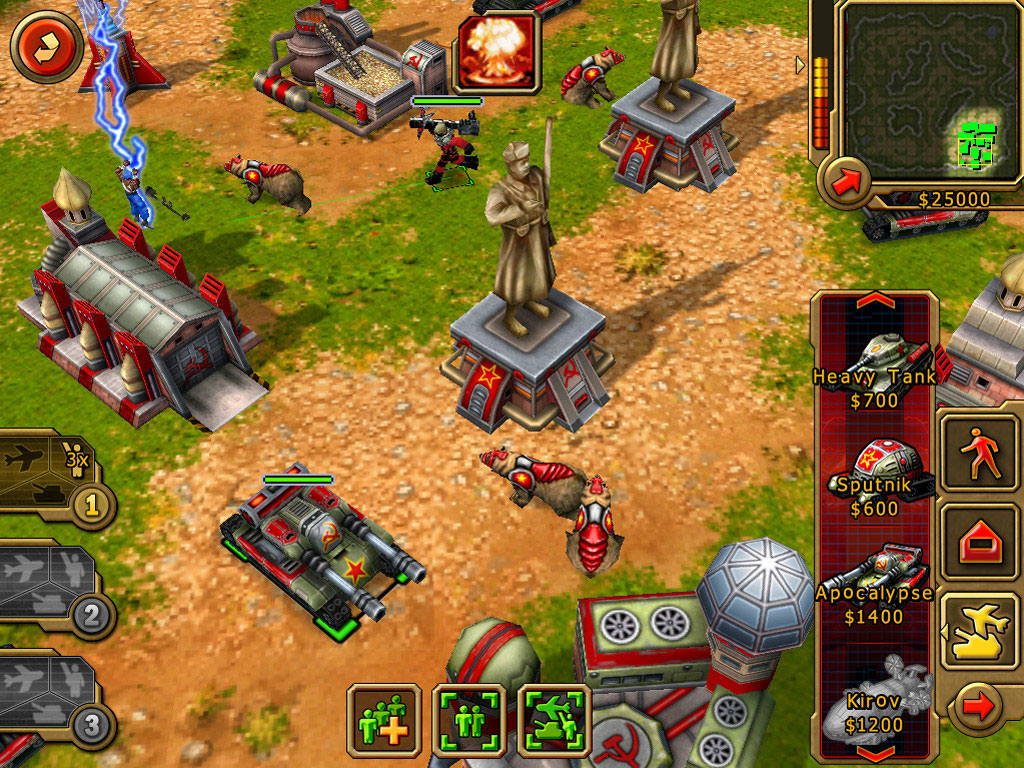
Command & Conquer Red Alert ($5)

You just can’t play a real-time-strategy game on a tiny display. Despite the developer’s best attempt to make Command & Conquer playable on the iPhone, we much prefer the high-resolution iPad version, which lets you build, command and conquer with ease on all 9.7 inches of screen. Just beware that widespread user reports of crashing may make this one to wait on until it gets just a little more polish from EA.

Source : digitaltrends[dot]com

Razer Blade Gaming Laptop: Quick Review

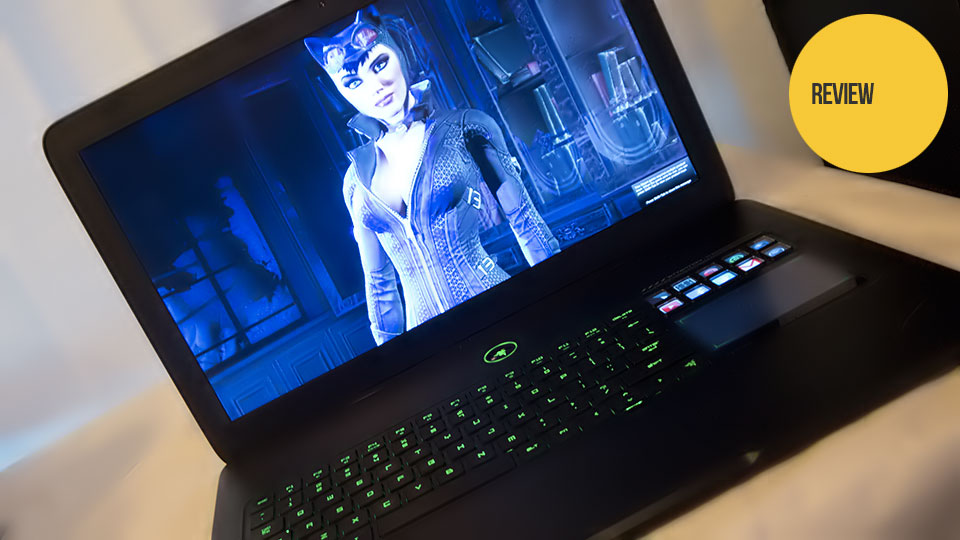
The first Razer Blade was not a high performance gaming laptop, nor was it meant to be. It was designed with a balance of portability and power in mind, and the allure of a 17 inch gaming laptop that weighs less than seven pounds was enough for the unit to sell out at every turn, paving the way for a second edition.

The second generation Razer Blade is not quite a high performance gaming laptop, but it's getting better.

Appreciating the original Razer Blade required a dramatic shift in the way I thought about portable gaming machines. Form factor always took a back seat to performance. When the initial Blade specs were revealed alongside the unit's $2800 price tag, I openly scoffed. I could buy a much more powerful laptop for half the price. Aside from the dangerously sexy look I could think of no reason to shell out that much money.

It's amazing the difference four pounds can make.

The average gaming laptop is not a particularly portable thing. It's self-contained, certainly, but I wouldn't slip one into my backpack for a weekend wandering around E3 or San Diego Comic-Con. I tried it once, and wound up exhausted with an incredibly sweaty back. Since then it's been the Macbook Air for me, not a particularly game-friendly system.

The Razer Blade can run games, it's got a 17-inch 1080p screen, it's made of metal and weighs 6.6 pounds. I can carry it comfortably with one hand.

The second revision of the hardware is all of that, only it runs games better and costs a little less.

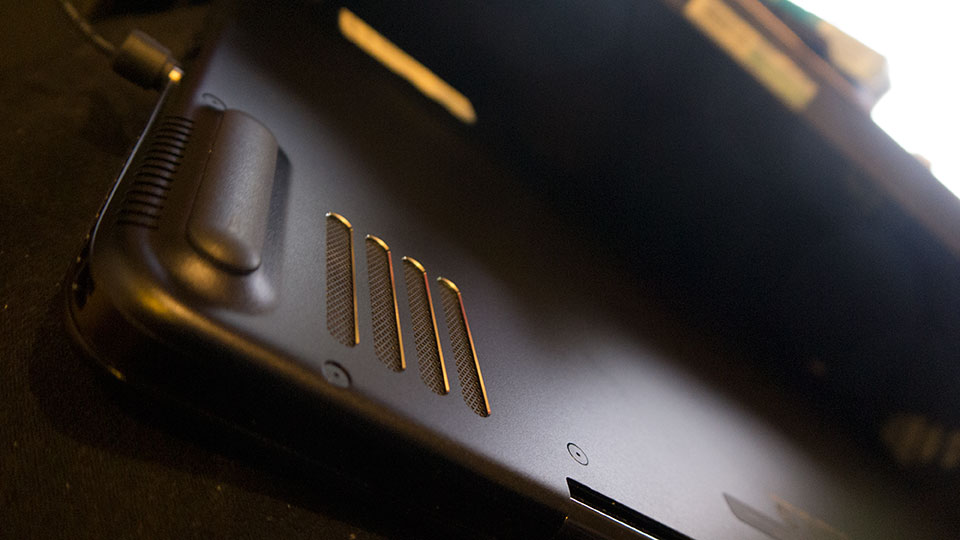
Externally not much has changed between the first and second versions of the Razer Blade; without looking closely one would be hard-pressed to tell the two apart. First there are the vents on the underside of the system, now wide open as opposed to the shark-gill slits of the original.

The bottom still gets uncomfortably hot to the touch during extended gaming sessions. I'd imagine the vents were modified to keep the more powerful hardware within from burning grill marks on the user's thighs, Burger King style.

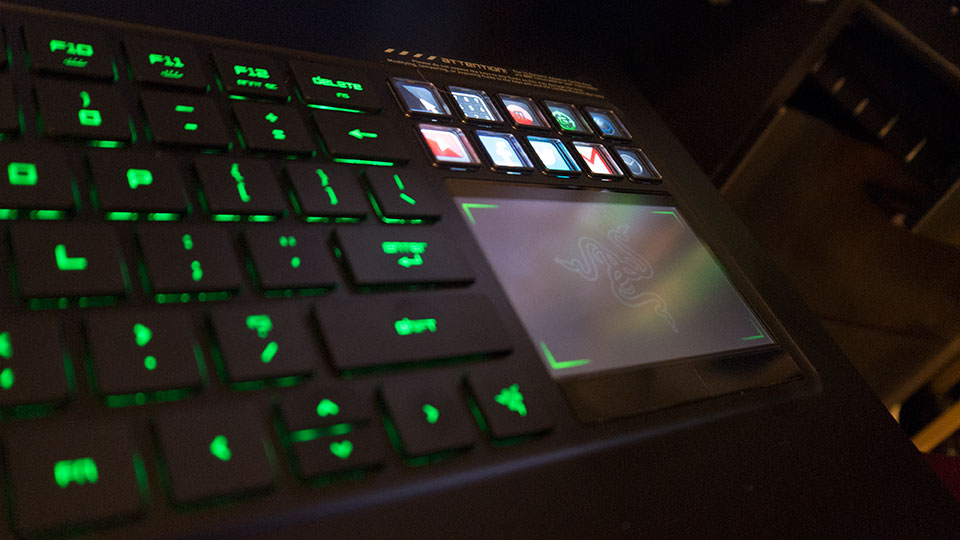
The only other significant exterior change is the buttons beneath the Switchblade UI.

They're a raised a little higher and a bit more clicky, making the touchpad a much more viable control option. I still prefer an external mouse, but I'm not incredibly inconvenienced if one isn't available.

Razer Blade (late 2012) - $2,500
  • Intel Core i7-3632QM 2.2Ghz (3.2GHz with Turbo Boost)
  • NVIDIA GeForce GTX 660M 2GB GDDR5 (Optimus capable)
  • 8GB 1600 MHz DDR3 Memory
  • 17.3-in. LED Backlit Display (1920x1080), HD Webcam
  • 500GB 7200RPM HDD (Primary Storage)
  • 64GB SSD with NVELO Dataplex (Cache)
  • Wireless 802.11 a/g/n + Bluetooth 4.0
  • Integrated 60Wh Battery
  • 6.6lbs (Weight) - 16.81" (Width) x 10.9" (Depth) x 0.88" (Height);

Support for the interface's programmable buttons is growing slowly—there are now premade profiles for Battlefield 3, Team Fortress 2, Counter-Strike Go and Star Wars: The Old Republic. The more support it gets the less gimmicky it feels, but let's face it—it's still pretty gimmicky. I'd drop cash on a slightly smaller version of the Blade with a regular track pad in a heartbeat.

And I still love the damn keyboard. Those flat keys go against everything I've ever believed a keyboard should be, but they are just so damn responsive and easy to hit, just as they were on the Star Wars: the Old Republic Gaming Keyboard Razer put out. I'm seriously considering investing in the non-branded Deathstalker Ultimate just so I can touch them on a regular basis.

The key changes between Razer Blade the first and Razer Blade the second are hidden deep within its striking outer shell. The overly ambitious 250GB SSD drive of the first unit has been replaced with the more reasonable combination of a 500GB SATA / 64GB SSD combo. The NVIDIA GeForce GT 555M has been replaced with a GeForce GTX 660M—not a particularly powerful mobile video card but a step in the right direction.

By far, the coolest upgrade is the processor and Intel Core i7-3632QM 2.2Ghz (3.2GHz with Turbo Boost)—so new that I couldn't write about it a week ago without making Intel incredibly angry. Razer introduced the second generation of the Blade with the tagline "The Beauty is now the Beast". This CPU is what they were referring to. It's blazingly fast, able to juggle several dozen browser windows and various applications without breaking a sweat.

Despite all that power under the hood, the second generation blade still chugged a bit with our standard benchmark games running at the unit's native 1920x1080 resolution with all the bells and whistles enabled.

That Total War: Shogun 2 score made me cringe. The game itself was playable, but not particularly enjoyable. Arkham City didn't give me too much trouble, and frankly I was surprised the Metro 2033 score was so high—it's rather brutal.

Taking things down to 1280x720 made each game much more playable, but I'd rather play games in 1080p on a display that's natively 1080p.

While there's definitely room for the Razer Blade to improve, particularly in the graphics card department, the second generation of the surprisingly portable, seductively stylish gaming laptop is a marked improvement over the original. The $2500 price tag is still too much for my blood, but it's getting markedly more difficult to repackage and return to Razer once the reviewing is done. If the Blade's success continues and Razer's part costs continue to drop, who knows? Maybe I'll flee the country once they get around to releasing the Mk3.

Republished with permission. Mike Fahey is a contributing editor at Kotaku.


Source : techspot[dot]com

Good Old Games brings all-time classics to the Mac

Good Old Games has earned a reputation for delivering low-priced classic video games through a no-fuss, DRM-free digital platform on Windows. Late last year the company started an expansion plan with the addition of newer titles, alongside the usual retro titles, and now they are taking things a step further by making part of their catalog available on OS X. As many as 50 titles are already available since yesterday afternoon, including hits like the Ultima and the Wing Commander series, SimCity 2000, and The Witcher 2.

As Ars Technica notes, users were already able to get most GOG titles to run on OS X with a bit of fiddling. But now downloads are automatically pre-patched or bundled with open source emulation and compatibility software so you can install and launch games just like you’d do with any other Mac application. It’s worth noting that if you had previously bought a game for Windows you’ll have access to the OS X version as well.

Additionally, users can also download high quality scans of games’ original documentation, including things like maps and other pack-in items where available, adding some extra nostalgic value for retro gamers.

The company says it plans to bring more games to the Mac in the future beyond the initial batch. To celebrate the launch, GOG is offering a 50% off deal on six games, pricing them between $2.99 and $4.99.

Bonus: Here's a tongue-in-cheek video announcement of GOG arriving to the Mac.


Source : techspot[dot]com

No Jelly Bean for Sony Xperia phones until 2013

No Jelly Bean for Sony Xperia phones until 2013

A wait ahead for some, for others only despair

Sony has confirmed that its flagship Sony Xperia T handset won't be getting the upgrade to Jelly Bean until February 2013 at the earliest.

Also getting the Android 4.1 update at around the same time is the Sony Xperia V.

The company hasn't explained what the hold up is, but it does add that Android 4.1 will be coming to a host of other Xperias.

Getting the sugary update at some point next year are the Sony Xperia S, Xperia acro, Xperia ion, Xperia P, Xperia Go and Xperia J.

There's no time-frame for this yet, and roll-outs will vary by country.

Play 'em out, keyboard cat

Unfortunately for those of you with older Xperia phones, the Jelly Bean dream has crumbled and died.

In the same blog post, Sony announced that "after thorough evaluation, we have concluded [the 2011 Xperia portfolio] will not be upgraded beyond Ice Cream Sandwich".

There was a bit of a hoo-hah over the 2011 Xperia line-up when it appeared in July that the company had given up on them, leaving them to languish on Ice Cream Sandwich forevermore.

Then Sony changed its mind, saying that the Xperia Arc S, Xperia Mini Pro and the rest of the 2011 gang could yet get Jelly Bean as the company was "actively investigating" what was what.

But it turned out that what was what was that there is no hope of an official update for the older handsets. Time for a new phone?


Source : techradar[dot]com

Why I won’t be buying a Windows RT tablet (And why Microsoft doesn’t mind)

surface rt tablet microsoft

Windows RT tablets will be crippled out of the gate by a lack of applications, making holding off a wise choice for smart consumers.

Microsoft yanked back the veil obscuring its Surface RT tablet earlier this week, and if you ask me, it’s the finest example of tablet hardware that we’ve seen to date. Microsoft poured a ton of mental and engineering resources into the Surface, and it shows; the Surface tablet and its oh-so-attractive Touch Cover keyboard is one of just three tablets to ever make me drool with desire. It even has Office 2013! And the new-look Windows is actually kind of awesome on mobile devices once you make a few tweaks.

Even still, I won’t be buying a Surface RT tablet on October 26th. The same goes for any Windows RT tablet. There’s no chance. Nada, nil, zero.

My reluctance doesn’t have anything to do with pricing concerns. Some people think the Surface RT is overpriced at $500 to start, but not me. The Surface RT is a top-tier piece of hardware worthy of a top-tier price point. My concerns lie in Windows RT’s crippled nature, and before you grab your pitchforks, they have nothing to do with the Modern-style overhaul.

Here’s the kicker, though: Microsoft doesn’t need me or you or anybody to buy Windows RT tablets on October 26th. They can be a complete flop in the short term and still be a massive success in the long run.

Let me explain.

Why I won’t buy a Windows RT tablet

In a word: apps.

Windows RT and Windows 8 may look the same on the surface (get it?), but they’re two totally different beasts under the hood. Windows 8 runs on x86-based processors, which means it can run both the new Modern-style Windows apps as well as the programs currently available for Windows 7 PCs.

Windows RT, on the other hand, runs on the ARM-based processors — such as the Qualcomm Snapdragon and Nvidia’s Tegra 3 — that thoroughly dominate the mobile gadget world. That makes Windows RT tablets incompatible with the legion of programs written for past generations of Windows-based operating systems. Basically, Windows RT can only run the new Modern-style apps.

Modern-style apps can only be purchased through the Windows Store, and as it stands today, there simply aren’t enough Windows apps — either in quality or quantity — to make purchasing a Windows RT tablet worthwhile. Not even the breathtaking Microsoft Surface RT with its baked-in Office app.

windows app store microsoft surface tabletThe vast majority of 4,326 current Windows Store apps are tablet-style games or instantly forgettable novelties. (Fart Soundboard, anyone?) Aside from standout apps by Netflix, Evernote and Slacker, most of the must-have essentials aren’t there. I’ve spoken to several developers about the situation; it seems as though quite a few apps are waiting in the wings, set to appear in the Windows Store when it officially launches on October 26, but I don’t expect the Windows Store selection to skyrocket out of the gate.

That’s a big problem

Windows 8 devices can lean on the current Windows programs we know and love until the Modern-style apps hit full speed. Windows RT tablets don’t have that luxury.

Knowing that, the little flaws in Windows’ new Modern-style apps take on a whole new light. Intel CEO Paul Otellini was recently reported as saying that Microsoft is releasing Windows 8 before it’s ready — a statement that Intel didn’t exactly deny — and I’m inclined to agree with him. As a whole, Windows 8 is a joy on a tablet, but odd little quirks occasionally prove frustrating.

Those rough edges could be a whole post in and of themselves — tune in next week! — but let’s talk about a particular frustration that highlights Windows RT’s issues: The native Mail app’s complete lack of POP3 support. A recent update to the Mail app fleshed out support for the vastly superior IMAP protocol, but if your email provider only provides POP3 remote access (as is the case with many Internet Service Providers, including Comcast and Fairpoint) you’re in trouble.

Windows 8 users can just switch to desktop mode, download Thunderbird or one of the dozens of other freely available POP-compatible classic Windows programs, and start slinging messages in no time. Windows RT users are just screwed unless they switch to a webmail service or perform complex workarounds that Everyday Joe would never figure out for himself.

Nope, Windows RT just isn’t worth the hassle. Gimme a Nexus 7 for half the price instead.

Getting Over the Hump

Manufacturers aren’t stupid. They know Windows RT tablets will be limited at the outset. That’s why we’re seeing an overload of x86-based Windows 8 devices, but only a handful of Windows RT tablets. And that’s totally fine; Windows RT tablets will have their day in the sun. Microsoft’s very future depends on becoming as mobile-friendly as possible — and the company knows it.

Even if Windows tablets fizzle from the get-go, Windows 8 will still be installed on damn near every PC and laptop sold after October 26. Even if traditional computer sales are somewhat lagging, hundreds of millions of them are sold year in and year out.

win8 metro microsoft surfaceNothing attracts developers faster than a massive user base; Windows’ tremendous desktop presence will eventually draw them like flies, and Microsoft is doing everything it can to make developing Windows apps as painless as possible. Modern-style apps and their associated Live Tiles are the heart of the new Windows experience, and those apps will come. There’s no way the major software and service providers will leave the world’s most popular desktop operating system by the wayside.

Sure, those Modern-style Windows apps might be developed to satisfy the hordes of PC users clamoring for Modern-ized versions of classic Windows programs, but they’ll work just as well on mobile devices — regardless of whether those devices run on ARM or Intel processors. Microsoft and its partners don’t need to sell a single Windows RT tablet; a year or two down the line the Windows Store will be packed with Metro apps even if Microsoft’s initial mobile ambitions flop.

It’s genius.

So no, I won’t be buying a Surface RT tablet on October 26, even though the thought of holding it makes my fingers twitch with excitement. Microsoft’s mobile future — its entire future — hinges more on what I will be doing that day, anyway: Taking advantage of the dirt-cheap upgrade offers to upgrade some of my secondary PCs to Windows 8.


Source : digitaltrends[dot]com

It's free
index