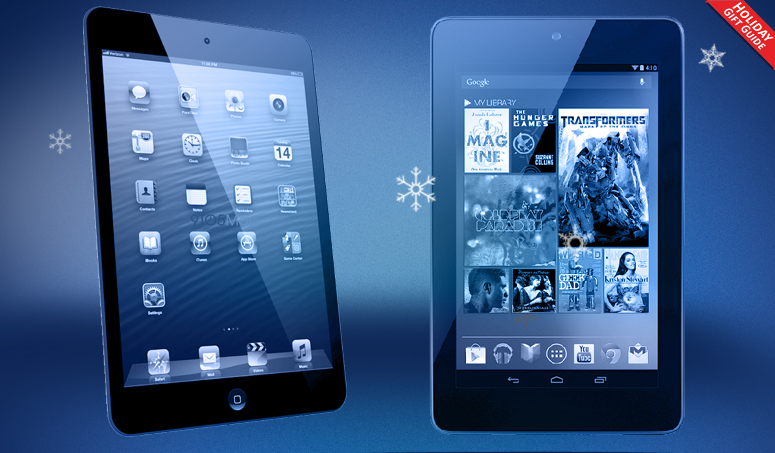
Looking to buy yourself or someone like you a new tablet for the holidays? We're here to help. Here are our favorite small and large tablets for the holidays.
In 2012, the tablet grew up and grew down. Nearly every smartphone and PC maker tried their hand at cracking the iPad’s iron grip on the tablet market this year, but few of them have faired well. By sheer volume, we’re beginning to see some erosion of Apple’s lead, but for the third year in a row, we still think that the iPad has the best overall ecosystem behind it. There were a lot of good tablets out this year, but this article is about the best. Right now, the best tablets for the best prices come from Apple, Google, and Microsoft.
In a bid to stay ahead of the competition, Apple updated the market-defining 9.7-inch iPad not once, but twice this year. In mid-March it released the third iPad, which looks the same, but packs a screen with more pixels than a 1080p HD television. If that wasn’t enough, those who chose to hold off on buying the third iPad were rewarded in October as Apple replaced it with the fourth-generation iPad (iPad 4), which looks the same, but packs more than twice the processing power and uses Apple’s new Lightning Connector.
Whether you choose to love or hate Apple, the iPad is still the best tablet money can buy. At $500, it’s now more expensive than most of its rivals, but that’s only because it’s won the war of attrition. Most tablets have been forced into the $200 – $400 price range because, really, if you’re going to spend $500, you might as well get an iPad.
Aside from its speedy, fluid user interface and remarkable hardware design (always a strength of Apple), the key to the iPad’s success is its app ecosystem. By requiring developers make apps specifically for the iPad, Apple has amassed more than 300,000 original apps. Android and Windows 8 tablets simply cannot compare. At the end of the day, the measure of a tablet is what you can do on it. Here, Apple wins.
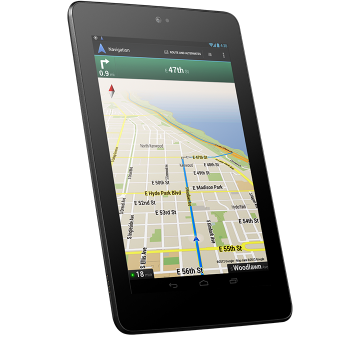
Amazon and Barnes & Noble were the first companies to release $200 tablets, but Google’s the first one to release a really good $200 tablet. The Nexus 7 debuted in July and it’s been climbing the popularity charts ever since. Designed in conjunction with Asus, the Nexus 7 is the best tablet if you’re a fan of Android or hope to avoid the iPad. With the Nexus 7, Google rethought its tablet strategy from the ground up. Instead of trying to imitate computer desktop interfaces, Google has made this Android tablet look and feel identical to an Android phone. It’s just bigger.
Normally, we feel that 7-inch tablets are a little too small to get anything substantial done, but somehow the Nexus defies this rule. It can run the few tablet apps Android has very well, but also runs Android phone apps in a surprisingly adept fashion.
Though many people seeking out the Nexus will be hunting for a bargain, what you’re really getting is more of a steal. The Nexus 7 has highly competitive specs and is as fast and slick as any tablet, but costs about half the price of most of its competition. It’s a far more fluid and usable device than a Kindle Fire HD, which has a poor email client, limited app selection, and still tends to get laggy. With the Nexus 7, you have access to going on a million Android phone apps/games on the Google Play Store, including many by Amazon and B&N, like the Kindle app, AmazonMP3 app, or the Nook app. You don’t have to give up their services to get a good tablet.
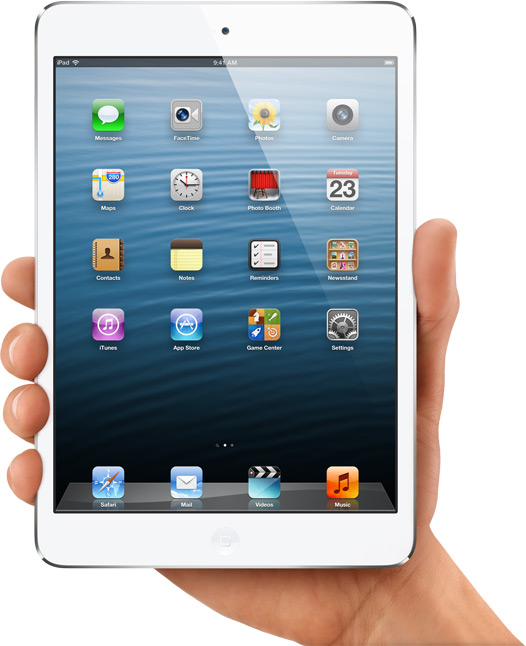
After spending years reviewing tablets in every shape and size, we’re happy to report that the iPad Mini’s 7.9-inch screen is probably the best-sized tablet display to date. It’s noticeably larger than a 7-inch tablet, which gives you valuable screen real estate, but still small and light enough to hold with one hand or store in an abnormally large pocket. Best of all, because it’s basically a shrunken iPad 2, every full size iPad app works out of the box.
If you own a newer iPad, you will notice one luxury missing. The iPad Mini has a 1024 x 768 pixel screen. In 2011, this would have been an awesome resolution, but after Apple raised the bar with the Retina screen on the iPad 3, times have changed. The iPad Mini’s screen looks noticeably more pixely than you may like. This annoyance fades in time and has no real bearing on the performance of the tablet. If you really want a Retina screen, you should hold out for the iPad Mini 2.
Price is the other big issue. $330 is a lot more than the $200 it costs to buy a Nexus 7. They are both great tablets. We would edge Apple’s tablet ahead because of its app selection, screen size, and comfort, but only you know if that’s worth $130.
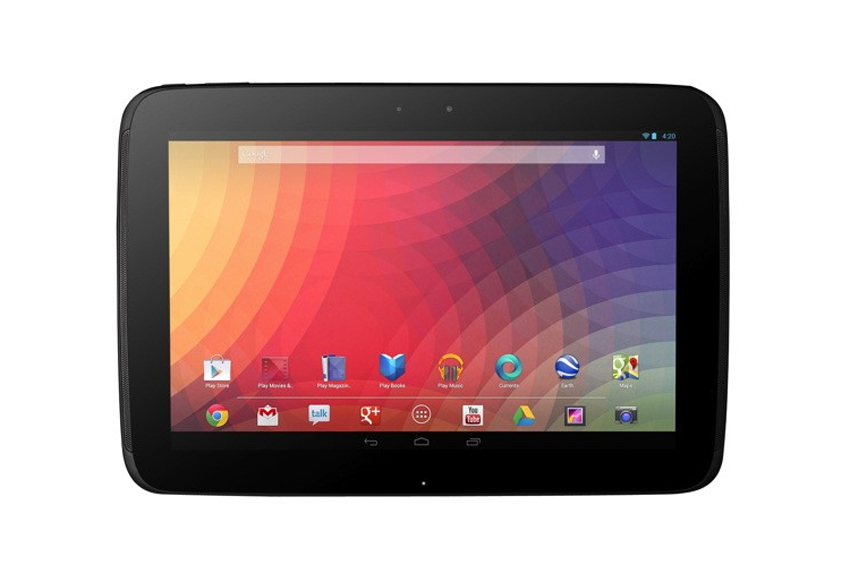
The Nexus 10 is not our favorite tablet on this list, but it is better than your ordinary 10-inch Android tablet. Like it did with the Nexus 7, Google has made the large tablet version of Android 4.2 feel more like a phone. It’s a lot easier to pull down notifications and get what you need to get done on the Nexus 10 than most other tablets. And did we mention the screen? Google got screen envy of the iPad 3 and 4, so it packed 2560 x 1600 pixels into the screen – even higher than Apple’s Retina. The Nexus 10′s screen looks gorgeous and it has enough processing power to punch a baby.
Like all big Android tablets, it will suffer from the Google Play Store’s lack of solid tablet apps. Things are getting better, but be prepared to run some hideous apps until all developers customize their goods to the big, pixel-dense screen. But for $400, you’re getting the fastest, prettiest 10-inch Android tablet we ever laid our eyes on.
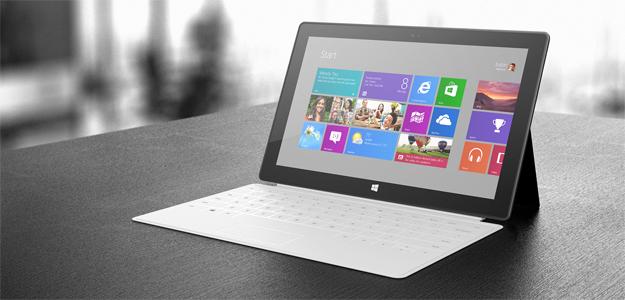
Should the Surface RT be on this list? It depends on who you are. For those of you who want to try out the new version of Windows, the Microsoft Surface is one of the best ways to do it. It’s built well, has a nice kickstand, and we love the magnetic TypeCover attachment. The problem is Windows RT. It walks and talks like Windows 8, but can’t run any Windows 7 applications. That means you can’t install any software on it that doesn’t come from the Windows 8 Store. Want the Chrome browser, iTunes, Spotify? You’re out of luck. The Classic desktop is difficult to use with a touchscreen and feels slow. Still, Microsoft is issuing fixes pretty regularly and is committed to Windows 8′s success. If you want a new, different kind of tablet, give it a go.
BBC iPlayer viewers can now enjoy full screen playback from the comfort of the new Apple iPhone 5.
The Corporation has issued an update for its popular on-demand app, optimising the aspect radio for the elongated 4-inch Retina Display.
Viewers can now kiss goodbye to the annoying black bars at either side of the picture when catching up on Top Gear or Doctor Who on the iPhone 5.
Beyond the video player optimisation, the Beeb has also taken the opportunity to fix a few bugs and introduce a couple of extra features.
TV playback
iPhone users - like their iPad-toting comrades - can now plug the device into their TV and view video that way, which is great for those without a Smart TV.
Within the playback screen there's now a prominent 'More' button, which allows users to seek out further episodes or likeminded series.
Users can also hit the Live Channels buttons when watching live TV in order to flip between the various BBC stations.
Choosing the right laptop bag is no easy feat. No one likes to second guess themselves. Here are some of the best laptop bags on the market — from backpacks to sleeves — so you can get it right the first time around.
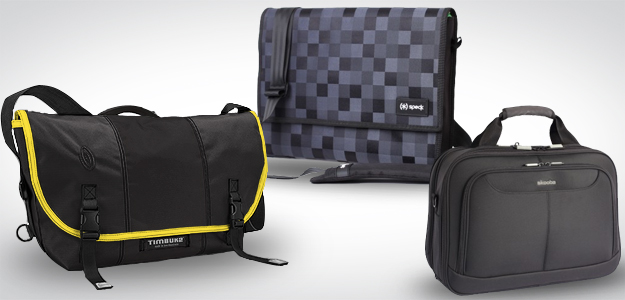
The first purchase for absolutely any laptop owner should be protection. Whether it’s a stylish messenger bag or a backpack for around town, a briefcase for travel or a simple sleeve, keeping your computer safe is essential. We’ve rounded up some the most stylish, fashionable, and practical laptop bags on the market.
Picky about style? Timbuk2 will build a custom laptop-friendly messenger bag that you can design. Customers can personalize the bag by choosing the size of the laptop insert, the colors of every panel, and even have the option to add additional gadget storage.
Skooba’s “checkpoint-friendly” messenger bags unzip down the middle to reveal your notebook in a clear-sided pocket, eliminating the need to remove it when going through airport security.
The Discovery Messenger is built front to back for photographers (no, not the Instagram kind). Pack in a 13-inch laptop, a DSLR, two or three lenses, and whatever else you may need for your photo excursion. The camera insert is even designed to be removed for non-photo use.
Dual compartments to house both your laptop and tablet simultaneously make the CityGear Topload notable amongst the rest of the Targus lineup. It’s durable, spacious, and reasonably priced to boot.
Just the essentials, please. Case Logic’s sleeves are simple, padded, and can fit notebooks anywhere between 10 inches and 17.3 inches in size. And the prices certainly won’t break the bank.
Simple, yet practical. The Speck Tuckpack features a laptop compartment up to 15 inches, a thin front pocket, and a nice Velcro closure to secure the few belongings the sleeve will fit.
The market for vertical laptop sleeves seems scarce, but Cocoon builds one with a padded handle. The slender, neoprene sleeve provides lightweight protection and accommodates laptops up to 16 inches. Toss it in a backpack or suitcase for a bit of added protection on the move.
We’re not going to lie: the Boa Flow is a beast. Weighing in at more than four pounds, the backpack can house anything and everything you may need – including laptops between 13 inches and 17 inches – for a weekend outing. Look no further if you need a little (actually a ton of) space.
The North Face Surge is loaded with compartments, offered in seven colors, and fits most laptops up to 15 inches. Plus, it’s endorsed by the American Chiropractic Association, meaning it’s pretty comfortable.
Want some protection, but don’t want to be weighed down while on the go? Belkin’s sleek pack does the trick and ditches the bulk at the same time. It even has a removal pouch for your power supply.
What do you think of our best laptop bags list? Did we miss something? Let us know in the comments below.
The idea behind DoorBot isn’t terribly novel. Have you ever wanted to see who was at your front door without actually going to your front door? The WiFi-enabled DoorBot is effectively a wireless webcam that replaces your front doorbell, letting you see and talk to the person at the door from the comfort of your smartphone or tablet.
Because the DoorBot is battery-powered (four AA batteries for up to one year of life) and is installed with just four screws, it can be mounted nearly anywhere. The weather-resistant aluminum enclosure adds to that idea, but I suppose this runs the risk of it being stolen too. In any case, when someone presses the doorbell button (which is wrapped in an LED light ring), you get a notification in your accompanying smartphone/tablet app and you can get a live video of who’s at the door.
There’s two-way voice communication and the DoorBot app integrates with Lockitron too. So, if you want to unlock the door–assuming you have a Lockitron installed on the same door–you can do that right from the app too. Realistically, you could almost accomplish the same thing with an IP camera, except you wouldn’t get the SMS-like notification when someone hits the doorbell.
The launch of a new Nexus phone has become as traditional an event as the coming of the usual Christmas debauchery.
Google started this trend with the HTC-made Nexus One back in January of 2010, followed by the Nexus S a little under a year later, then the Galaxy Nexus and this year's extremely tempting Nexus 4.
The latest Nexus always arrives accompanied by a new version of Google's Android OS, so as well as a new lump of hardware to play with we also see a refresh of the Android code arrive, too.
It is all very exciting indeed.
So, now that Google and its hardware partners are preparing for the fifth generation Nexus for launch at the end of 2013, we can't help but start to wonder what it'll be like.
Will LG still be making it, after this year's Nexus 4 stock debacle? Or will previous rumours of Sony getting a go at making it turn out to be true? And what of Android 5.0, or Key Lime Pie as Google insists we reluctantly call it?
The many components of the next Nexus are still up in the air, which is as good a time as any to come up with some ideas regarding what shape the phone should take when it falls into place at the end of 2013.
So here's our Nexus 5 fantasy wishlist.
The Nexus S. Nice, but largely overlooked, despite introducing a subtle curve to the display surface.
Nexus 5 Display
The Nexus 4 features a great 4.7" display, with LG's screen running on its own True HD IPS technology and outputting at 768 x 1280 resolution, minus a bit at the bottom for Android 4.2's now standard software buttons.
That's something we'd expect to change when it comes to next year's Nexus, though, as several Android hardware makers are now talking about 1080p resolution displays for future mobiles, with the rumoured Sony Yuga said to be arriving early in 2013, with a maximum HD resolution 1920 x 1080 screen.
We'd expect to see 1080p screens become the norm for high-end Android models during 2013, as the makers continue to try and out-do each other, so whoever ends up making the Nexus 5 surely has to make it operate at today's commonplace 1080p res.
Perhaps Google will also sell the things in a decent quantity next year?
Nexus 5 release date
This one's pretty easy to compute, as the Nexus range of phones operates outside the usual February Mobile World Congress reveal and spring launch cycle, instead appearing in the winter months to give Android fans something to look forward to during the dark days.
The Nexus S arrived in December, the Nexus One in January and the Galaxy Nexus and LG's Nexus 4 both launched in November, so expect the Nexus 5 to stick to that schedule and appear in time to feature on the Christmas present lists of the world's smartphone enthusiasts next year.
Nexus 5 specs
This one's harder to guesstimate, as power seems to vary depending on the whims of the maker.
Last year's Samsung-made Galaxy Nexus was only a moderately-powered model, while this year's Nexus 4, complete with its cutting-edge Qualcomm S4 Pro quad-core processor and 8MP camera, is about as high-end as you can get right now.
What we've seen emerging from LG recently is the news of the LG Optimus G2, a phone supposedly built around a 2GHz version of Qualcomm's S4 Pro chipset.
With the Nexus 4 based around the chassis of the original Optimus G, we could see the G2 appear as the Nexus 5, should Google and LG team up again for the next Nexus phone.
We should also beg Google to change its mind when it comes to locking down the physical aspects of the hardware.
We've seen plenty of Android models arrive with sealed cases, fixed batteries and no SD card support, which is putting some users off the idea of plumping for a Nexus.
The lack of SD-card expansion is becoming accepted and seems like it'll become the norm in 2013, but surely a nerd-focused phone range like the Nexus series ought to feature an SD card slot? Especially with the move to HD media and photography, which makes the Nexus 4's limited 8GB model seem rather poor.
We'd also expect the Nexus 5 to feature LTE support, something missing (officially) from the Nexus 4. Even the UK will have a decent 4G network by 2013, so it must be in the next model.
The LG Optimus G, which LG stuffed into a different case, loaded up with Android 4.2 and renamed it the Nexus 4.
Nexus 5 design
This is the one area where the Nexus range has traditionally lagged a little, with Google seemingly issuing orders to its makers not to try anything too avant garde, or to stray too far from the curved, black rectangle aesthetic when making the Nexus models.
This year's LG Nexus 4 bares quite a few visual similarities to last year's Galaxy Nexus from Samsung, with only its sparkly back to add a little excitement to the Nexus range.
We'd love it if the Nexus models could start to set a standard for design as well as software, as the vast number of boring black Android phones isn't setting anyone's loins on fire.
We're not suggesting pink snap-on after-market back covers, but something a little more thrilling would help differentiate the Nexus line from the competition.
Also, LG has come into quite a bit of stick for copying Apple's idea of sticking a glass back on the phone, with plenty of early Nexus 4 buyers claiming it's a bit on the fragile side. Perhaps a return to robust Korean plastic might be in order for the Nexus 5?
Android 5.0 Key Lime Pie?
We always expect a new Nexus phone to arrive with an equally fresh version of Android, so we might reasonably demand to find Android 5.0 arriving on 2013's Nexus handheld.
Thing is, that's nearly an entire year away, and with Android 5.0 already showing up in online benchmaking tools, we may see that version of Google's code appear sooner rather than later.
So - and this might sound a bit bonkers - we could therefore see the Nexus 5 arrive with Android 6.0 or maybe something less drastic like, say, 5.1 or 5.5.
And Google's chucking out new versions of Android so fast we could easily hit double figures by this time next year.