A small but growing number of iPhone 5 owners are complaining of shorter battery life with iOS 6.0.2
Apple's latest iOS 6 patch may have cured Wi-Fi issues plaguing iPhone 5 and iPad mini users, but the update now appears to be causing battery life headaches for others.
CNET reported Friday that this week's iOS 6.0.2 update may be one step forward and two steps back for some owners of the latest iPhone 5.
Beginning Wednesday, a handful of users flocked to Apple's support discussion forums with complaints of substantially shorter battery life following the iOS 6.0.2 update released the day before.
"Today I barely used my phone at all, and I noticed I was down to 40 percent after three hours of being off the charger," one iPhone 5 owner remarked, referring to it as "a significant change in battery drain."
Wi-Fi to blame?
Curiously, the battery drain appears to only affect the iPhone 5 and not the iPad mini, which was also updated to iOS 6.0.2 this week; other devices did not receive the minor update.
Initial speculation points to a change in Wi-Fi antenna behavior under iOS 6.0.2, although this theory doesn't explain why most iPhone 5 devices - and all iPad mini tablets - remain unaffected.
The battery drain may be tough for Apple to nail down since it affects a small (but growing) set of users, compared to prior updates where such issues were more widespread.
Apple has yet to comment on the matter, which could remain unresolved through the holiday break and into the New Year should engineers be unable to pinpoint the problem quickly.
Update: BlackBerry 10 (or BB10) is still under development and not yet a finished product, but we've checked out an almost-final version of the user interface, which is pretty close to perfection, according to RIM - but we'll let you be the judge by checking out our findings below.
We saw the near-final version of BlackBerry 10 running on the new Dev Alpha B handset, building on the other test units and newer devices we've seen in the past.
The Dev Alpha B handset has been seeded to select BlackBerry developers, to aid them in their quest to produce applications for the new platform.
RIM has already handed out over 5,000 of the original Dev Alpha devices, and we wouldn't be surprised if the new handset gets the same sort of circulation.
We've also heard about the first Dev handset to sport RIM's famous Qwerty keyboard. Known as the Dev Alpha C, this will be the first handset with physical keyboard to run BlackBerry 10.
1,500 Dev Alpha C handsets will be winging their way to the hardcore BB10 developers before the official launch on January 31, so apps can be tweaked to work on the smaller screened phone.
BB 10 sees the implementation of a whole new user interface, with RIM doing away with the familiar BlackBerry system we're all used to, in favour of something which resembles the likes of Android and iOS, although with its own unique features.
With BlackBerry 10, RIM has merged homescreens, widgets, app lists and a unified inbox into one slick interface, offering up an easy-to-navigate user experience.
Lock screen
The lock screen shows notifications for alarms and unread messages on the left plus your upcoming meetings as well as the date and time, with a button to launch the camera straight from the lock screen to grab a quick snap.
You unlock the phone by sliding your thumb up the screen and from there slide from anywhere on screen and the handset starts to draw in around where you slide so if you just want a quick peek at the information in one area of the screen, you can just drag to show it and then let go – with the device remaining locked (more on that in 'Peek' mode below).
Home screen
The main homescreen comprises of 'Active Frames', technically mini-applications, which give you an overview of information from a particular app and launch the full version when tapped.
Users can select up to eight of these active frames, which arrange themselves in order of most recently used, with the latest app appearing in the top left position.
A maximum of four frames are shown on the screen at any one time, and if you scroll down and you'll be able to view the others – the display in order of use allows you to jump quickly between your recent applications.
RIM tell us that any application, even third party ones, will be able to appear as an 'Active Frame' on the BB10 homescreen, which is excellent news for anyone left frustrated by the limited widget options on Android or live tiles on Windows Phone.
For those of you who may be concerned that these 'Active Frames' could be both data and battery intensive, Research in Motion assures us that this is not the case, with the QNX core of BlackBerry 10 providing efficient power management, and the frames only downloading the minimum amount of data required for them to update.
Interface
Swiping from right to left will take you to the app list, with 16 apps on the screen at any one time – if you have more than 16 apps additional pages are added and can be accessed by swiping the same way again – familiar territory for iOS and Android users.
At the bottom of both the homescreen and app list you'll notice a shortcut bar, with quick links to the phone, search and camera applications – allowing you to quickly jump to these regularly used features.
There's a pleasant fading animation as you flick between pages, and you'll see the previous page of apps fade away to the side of the screen, to be replaced by the new page.
The idea behind BB 10 is that it Flows... which is the phrase RIM is using mercilessly to describe the new OS.
Further screenshots of the BlackBerry 10 interface have appeared online, showing off official social networking apps from all of the big players, plus a voice control feature which will likely challenge Apple's Siri and Google Voice on Android.
Notifications
The whole Flow concept really comes to life when you swipe up from the bottom of the screen – this minimises the current app/screen you're viewing and shows new notifications counts down the left hand side, including new emails, BBMs, texts and social media messages.
If you continue the slide to the right, the unified 'Hub' application can be previewed – allowing you to 'peek' at your messages.
Complete the slide and you'll open the hub fully, otherwise you'll be returned to the page you were viewing before the little red light on your handset started to flash.
This means you can easily see who has just messaged you without having to close down your current application, and knowing who it's from allows you to make a decision on whether or not to answer them straight away or continue with what you were doing originally.
BlackBerry Hub
When we say all, we mean all, as the unified inbox, or the 'Hub' as RIM likes to refer to it as, can deal with multiple email accounts, text messages, BBM, call history, third party messaging apps such as Whats App and a whole host of social networks including Facebook, Twitter and LinkedIn.
Of course, with so many accounts feeding into the handset, the more popular among us will be quickly inundated with notifications from various different channels, and this is where the peek idea makes it easy to see when you've got anything new to look at.
To make the reams of messages easier to manage place your finger on the title in the bottom left corner of the message centre and pull across to reveal a list of all the accounts you have linked up and then select the one you're interested in – this will then populate the Hub which notifications from just that source.
There are also various options which can be selected for a particular message, hold down on the communication in question and a slim column of tools will pop up to the right for you to choose from, including reply, forward and delete.
Drag down from the top of the message centre and the Hub will automatically pull in your calendar events for that day in the top half of the screen, allowing you to quickly see what you've got on without having to launch the full calendar app.
Peek
Peek works much better when you get your head around all the gestures - however it may prove to be overly complex for some users, although RIM will be providing video tutorials on its BB10 handsets during the initial set up phase when you switch the phone on for the first time.
Having the 'peek' idea work the same way in so many applications helps you get used to it as well (though we don't yet know how well third-party applications will be able to do the same thing, although RIM has said it's developed nearly every API asked for when it comes to developers, and they have full access to the Peek code).
When you do get into a message or an appointment, you can see more information about the people involved in a way that will be familiar to BlackBerry PlayBook 2.0 users; you can see who you know in common, what messages you've exchanged or recent social network updates.
It's a new look for the 'flow' between different apps and information sources that BlackBerry has always been good at, but with a fresh modern look on a much larger screens.
Personal and Work modes
Sweep down on the home screen or an app list page and you'll see Personal and Work buttons that let you switch between the two BlackBerry Balance modes.
In Personal, you can install any apps you want, send any email, save any file and so on, working in a partition that's encrypted for privacy but not locked down in any way.
If you use your BlackBerry for work though, you'll also have a Work partition that's also encrypted but completely separate and can be locked down if that's what the company wants.
Drag down on the screen, pick Work mode and all your personal apps disappear – so you can't accidentally copy a work file into your personal cloud storage account.
Your company can have complete control of this work section, giving you as much, or as little freedom within this area as they see fit – and everything in Work mode is fully secured, with remote wipe available just it case your handset goes astray.
However work won't be able see what files you have on your personal area when they're managing it, because your personal partition is encrypted.
BB10 in work and personal modes
Select Work mode and you'll be prompted to enter a password before gaining access to your protected area, which means prying eyes won't be able to steal a glimpse at all your company secrets. Phew.
Work mode still features the same UI as found in Personal mode, with all the flow and peek activity present, allowing you to perform some slick, one-handed operations.
Other apps use the swipe-down motion in a different way, allowing to function like a menu key - for instance the mapping app allows you to change accounts or settings with a quick finger flick.
Cascades
Then there's Cascades, a new navigation system cooked up by RIM especially for BB10, allowing for quick multitasking from within applications.
The example we've seen is in the messaging app - open an email it will display full screen, but drag your finger from left to right and the message will slide with you, revealing the inbox below.
This means if you get a new message in the middle of reading an email, you can check who it's from without having to close the application – similar to the notification bar on Android and also now iOS.
If you were to open an attachment from the email, a PDF document in the case of our demo, pulling to the side to view the cascade will show the app's layers stacked up – a more visual paper trail, if you will.
It's certainly an intuitive feature that we found to work smoothly on the development handset – but it will be interesting to see how this feature is embedded into other applications and if it will have the same pleasing results.
New App world
BlackBerry App World is also getting a makeover with a cleaner, more intuitive design ready to show off all the apps RIM is pushing developers so hard to make in time for launch.
As well as offering applications, the new App World will also provide music and videos to purchase and download – allowing BlackBerry 10 handsets the chance to compete with the likes of Google Play, iTunes and the Apple App Store.
There's a sperate version of BlackBerry AppWorld where your company can offer specific work apps – like an app that uses the NFC chip in your BlackBerry to unlock the door to the office, as well as locking out applications they don't deem suitable for using while at work.
Keyboard
BlackBerry handsets are famous for their physical boards and RIM is keen to bring this typing experience to its BB10 touchscreen smartphones with its own offering.
Visually the keyboard looks similar to the stock Android offering, but each row of keys is separated with a silver line, or 'fret' – which is supposed to reflect the metal strips between buttons on the Bold range, such as the Bold 9790 and Bold 9900.
Next word prediction, auto-correct and spell check are all common features on smartphones today and RIM has spent some time developing its own system to offer an efficient typing experience.
It sees next-word suggestions appear above the character the word begins with, and if it's the word you want to use, you just need to swipe up over the word and it will be added to your sentence.
As with many offerings these days, the keyboard will learn your style of writing, meaning it will be able to suggest better words the more you use your phone.
RIM reckons that heavy users will quickly see a marked improvement once they start using the keyboard, as BlackBerry 10 will only take a couple of days to learn their style of writing.
Another interesting feature is that the keyboard can support up to three languages at any one time, so if you're writing in English it will offer up English words as suggestions, but suddenly switch to tapping out French, even in the same message, and the BB10 board can detect the change in tongue and adjust its recommendations accordingly - smart.
We found the keyboard to be fairly accurate and relatively well spaced, but for those of you used to the physical buttons of a traditional BlackBerry it will take some getting used to.
Camera
RIM is making a big song and dance about its BB 10 camera application as well, especially the 'Time Shift' feature, which allows you to select the perfect smile of your subject after taking the photo.
Fire up the camera app (from the lock screen if you so wish), which was relatively quick to open on the Dev Alpha B device, select 'Time Shift' mode and snap your subject, and the app will then search for faces in the image.
Once a face is located in a photo, you can tap it and literally roll back time to find the point at which your friend had their eyes open and the perfect grin.
If there are multiple people in your snap, you can individually adjust each person, however during our demo we found 'Time Shift' struggled in lower lighting conditions, subjects face's need to be illuminated well for the camera to detect their mugs.
'Time Shift' did take several seconds after the photo was taken to detect faces and offer us the chance to tweak the image, but this could be down to the fact it's running on a development build of the BB10 software, and speed could be improved in the final product.
Of course the camera can take standard photos and record video alongside the 'Time Shift' function, which itself is an impressive function, but we wonder how much we'd actually use it day to day.
Browser
The BlackBerry browser has also had a refresh for BB10, bringing it in line with the minimalist style of current offerings on other devices, and the location of the URL bar at the bottom of the page is reminiscent of Internet Explorer on Windows Phone.
Even though Adobe has already ditched future support and upgrades of its Flash platform, RIM has made sure it's built in support for the dying format, allowing you to access all your favourite Flash built sites and videos of Korean men dancing on invisible horses.
There seems to be a partnership with a particular search engine, allowing you to search via the URL bar, as well as pulling info into other applications, but RIM are currently not in the position to disclose whether they've opted for Google, Bing or something a little more left field.
Sweep from left to right while in the browser and the 'peek' functionality comes into play again, this time showing various internet-centric options such as History, Bookmarks, New Tab and currently opened tabs.
There's also a Reader mode built into the new browser, which lifts article text and images from a web page and displays it in a more manageable and easy to read format, stripping out fancy ads, menu bars and any other clutter which gets in the way of actually reading something.
Comparison tests have shown the BlackBerry 10 web browser to be faster than its equivalent on Apple's iOS 6 and the new version of Windows Phone - we'll reserve proper judgement until we have a final handset in our sweaty palm, but at least this is a positive sign.
Battery life
As we've mentioned briefly earlier on, RIM is promising that BlackBerry 10 will help to deliver decent battery life, even with the big touchscreen and those lovely 'Active Frames'.
RIM has even gone as far to say that's its two BB 10 launch devices, one fully-touchscreen and the other sporting the famous Qwerty keyboard, will offer up a full days battery life, thanks to a lot of hard work by the QNX team on power management in the core of the BlackBerry 10 platform.
Obviously we were unable to put this claim to the test during our brief hands on viewing, but we'll be sure to push the new BB10 devices to their limits once we get our review units in.
Early verdict
Although the BlackBerry 10 operating system is in development, we must say that we were impressed with how smooth and slick the interface felt under out fingers – seamlessly zipping around without fuss.
BlackBerry assured us that is smooth experience would still be present in the final product, thanks to the clever integration of the HTML 5 system, which optimises the performance of the software. We certainly hope they're right.
There are plenty of features of BB 10 that are exciting - the gestures work very, very well after a few minutes, the powerful messaging ecosystem is still there and even the on screen keyboard is great.
What does strike you about the new OS is how the phone is so integrated - Facebook, Twitter, Email are all available, connected to your friends or easy to share to throughout the phone.
It's a much more complex OS than iOS or Windows Phone, but there are only so many ways to re-invent the smartphone wheel; in the case of BB 10, RIM has gone for usable power over rows of easy to use icons.
It's a bold move, and one technophiles will love. If the hardware is decent too, there may be enough BB fans out there willing to use the finger-flicking platform... but with so many things to learn, it will take some serious and quick eduction to get users up to speed.
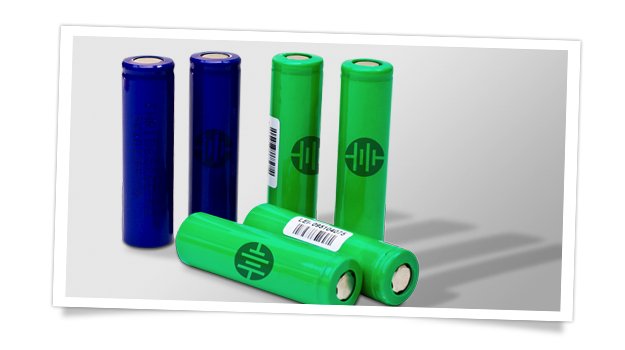
Batteries are a hot topic right now, but for all the wrong reasons, as the technology is struggling to keep up with advances in processor speeds and high resolution displays. Leyden Energy has developed a new type of battery which will change all that, and is working closely with manufacturers to bring it to your future smartphone or tablet.
You may not be familiar with Leyden Energy. It’s a company which is developing new battery technology, and batteries aren’t quite as – for want of a better word – sexy as other hardware components such as processors. For now, at least. But battery power is rising up the chain, as researchers the world over amp up their quest for drastically improved power cells not only for our smartphones and tablets, but for hybrid and electric cars, too. Leyden Energy has developed an interesting new battery technology named Li-imide, an evolution of the Lithium-ion batteries currently powering our gadgets, which could go on to bring more energy to next generation gadgets.
Battery technology is struggling to keep up with the advances in hardware, but Leyden Energy’s VP of Marketing, Noam Kedem believes the decision to use bigger capacity batteries to compensate is the wrong one, because it makes it more difficult to produce thinner and lighter products. To illustrate his point, Kedem references how unusual it was for Apple to increase the iPad 3’s size and weight – a direct result of enlarging the battery – over the iPad 2, “An Apple first, and not in a good sense,” he quipped.
An evolutionary step forward
It’s not just Apple struggling to balance device specs with battery performance either. All big-name manufacturers are, “Bumping against the chemistry ceiling.” This is because we’re nearing the point where current Lithium ion batteries don’t have anything else to give. “The bad news is [the problem] is probably not going away anytime soon,” says Kedem, who continues, “there are very few revolutions in the battery space, it’s all about evolution. Anyone who says otherwise is probably using a great deal of imagination.”
Leyden Energy’s Li-imide is just such an evolutionary step forward, and although the company is working on several solutions, Li-imide is at the center of all of them. The Lithium imide electrolyte works with existing graphite cathodes and anodes – the positive and negative terminals inside a battery – where it can provide three times the lifecycle of lithium ion cells. However, lithium imide also works with other materials such as silicon, which is considered to be the next big thing in battery technology, and could see us armed with batteries that last up to a week and recharge in 15 minutes. Because of Li-imide’s versatility, Kedem says the company’s research into silicon anodes is “progressing at a faster rate than others.”
Silicon anode batteries are expected to offer a considerable increase in capacity, a longer lifecycle and more consistent performance even after hundreds of recharges. However, the technology is difficult to perfect, and requires other areas of battery technology to progress at a similar rate, putting us in a position where we’ve got a while to wait before it becomes available to us, “By the end of 2014 it will be very likely products will be introduced at a consumer level with silicon anode batteries,” was Kedem’s prediction.
Working closely with hardware manufacturers
Leyden Energy is differentiating itself from other battery manufacturers in another way too, as it has taken the unusual step of working incredibly closely with hardware manufacturers right from the start, to create high performance batteries optimized for a particular product. “The earlier we get into the design process, the more impact we can have,” says Kedem, describing an interaction which goes far deeper than you’d imagine, with everything from fine tuning charging algorithms to custom tailoring the battery to give a longer runtime. Traditionally, battery manufacturers sell off-the-shelf designs and aren’t interested in limited runs required for new product development. It’s this pro-activeness and attention to detail that sets Leyden Energy apart, and could well pay dividends in the future.
The solution to our power woes isn’t all about batteries though, so while all this research is going on, Kedem also expects other hardware manufacturers to come under further pressure to produce more power efficient components, citing Sharp’s IGZO display panels and Nvidia’s Tegra 3 processors as great examples of how the problem is already being combated. Another example is for processor manufacturers to make the step down to 22nm production processes, something which Intel has recently announced it will be doing with its next generation mobile platform.
The biggest gains are going to come from new kinds of batteries though, so could Leyden Energy’s Li-imide cells, in one form or another, provide the energy for your next generation phone, tablet, or laptop? We’ll have to wait and see, but there’s no doubt the company has high aspirations, a point proven by its more than 1700 testing channels, a huge amount considering most of the top battery manufacturers only have a couple of hundred. This allows for rapid innovation and let’s face it, that’s exactly what the battery industry needs right now.
Earlier this week, rumours were rampant around Chinese tech sites with details of ZTE launching their new flagship phone brands today (21st December). The so called “Doomsday” launch was expected to be the day that Chinese phone fans would learn the true specs and pricing of the Nubia Z5, however the launch hasn’t happened.
ZTE has announced that they will unveil the Nubia branded 5-inch phone on the 26th December, citing no reason for the change in plan. However, sources suggest that ZTE want to put some distance between their launch and the recently release of the Meizu MX2, which became available to buy on the 19th.
The Nubia Z5 is expected to go on sale in for $480 before the end of the year and could be equipped with a 5-inch 1080 screen, quad-core Qualcomm S4 Pro CPU, 2GB RAM , 13 mega-pixel rear camera and Android 4.1 Jelly Bean.
It's a story of David vs Goliath, but in this version Goliath has rather cruelly crushed little David.
Apple has closed down a Kickstarter project by refusing to licence its Lightning charger. So now the POP portable charging station won't see the light of day, and the technology and design lab behind it has to return the $139,170 in funding it received on the crowd-sourcing website.
The POP was going to be a portable charger that let you juice up your Apple device, among other phones and tablets. Apple, not happy with its iPhones and iPads sharing the stage with rivals, didn't licence its Lightning dock, and so the team have had to abandon the project.
Understandably peeved
The team at Edison Junior, the company behind the POP, are understandably annoyed, and aren't shy about letting it be known. "We are pissed," CEO Jamie Siminoff told VentureBeat. "I think they are being a bunch of assholes, and I think they're hurting they're customers."
Edison Junior will have to foot the fees from credit cards as well as the Kickstarter charges. In total, that amounts to more than $11,000.
"We would have loved to have made the product," Siminoff said. "At the same time I feel like we're making the correct decision… I'm not willing to compromise on the product."
He guaranteed all backers would get their donations back in full.
And he had a word of warning for Apple over its business practices. "When you do things that are bad for the customer… I think it will be bad for them," he said.