Panasonic planning European smartphone market exit, less than a year after its return

Panasonic Eluga

Panasonic could be planning to withdraw from the European smartphone market, despite only having rejoined at the beginning of the year. Poor sales are cited as the reason, but a lack of effort and financial problems could be closer to the mark.

A new report indicates Panasonic is considering withdrawing its range of phones from Europe, despite only having re-entered the market at the beginning of the year.

Having previously left Europe in 2005, so it could concentrate on sales at home, Panasonic announced its return in February, and showed off its new handsets during Mobile World Congress. A Reuters report says it wanted to sell 1.5 million phones this year, but it’s unlikely to reach this figure, prompting talk of a withdrawal.

It placed its hopes on two phones, the Eluga and the Eluga Power. The former is an Android 2.3 Gingerbread phone with a 4.3-inch touchscreen, and a 1.2GHz, dual-core Texas Instruments processor. Despite boasting a slim, 7.8mm chassis and an attractive, waterproof body, this specification barely provided the phone with the power to compete with devices from Samsung, Apple and HTC.

The Eluga Power could have been a bigger success, as it has a 5-inch, high definition touchscreen, a dual-core Snapdragon S4 chip, Android 4.0 and IP57 water and dust proofing. A true competitor to the Galaxy Note, then.

Both phones could be purchased through online retailers, but Panasonic never appeared to sign any deals with UK networks. While this isn’t quite as important as it is in the US, it would have been essential for Panasonic to re-connect with buyers and promote its new phones.

Evidence of trouble brewing came when the firm told TechRadar.com in August that it was selling its two phones “to consumers in Germany and Italy and currently does not have any plans to change this.” A report in The Times around the same time said Panasonic had put its European smartphone plans on hold, and “looked likely to abandon its mass market ambitions.”

The smartphone market is tough, but Panasonic’s potential exit could be directly related to the $7.6 billion bailout given to it by Japanese banks this month after record losses, rather than any failure to perform following its half-hearted attempt to break back into Europe.


Source : digitaltrends[dot]com

Samsung tops the global smartphone market, as HTC, Nokia and RIM fall further behind

Samsung Logo Door Offices

Research published by market analysts IDC has put Samsung way out in front of its rivals in the global smartphone market share charts, where Nokia has disappeared from the top five for the first time, and HTC has dropped several spots too.

Market analyst company IDC has released the latest version of its Mobile Phone Tracker information chart, showing where it places the world’s major phone manufacturers regarding smartphone market share and sales. Samsung is the star of the show, a fact reflected in its own quarterly results, while Nokia, HTC and Research in Motion all show signs of suffering at both its, and Apple’s hands.

Samsung has retained its position at the top of the charts, with a 31.3-percent market share, up from 22.7-percent last year. It’s estimated to have shipped 56 million smartphones between July and September, a huge improvement over the already impressive 28 million from the same period last year.

The Korean company has also announced its financial report for the same period, posting $7.4 billion in profits, beating its previous record for the fourth consecutive time. A Reuters piece on the subject puts its smartphone shipments at 58 million, slightly higher than IDC’s figure, and says that between 18 and 20 million of that amount were Galaxy S3 handsets.

HTC drops behind RIM and ZTE

Apple comes second in IDC’s ranking, with 15-percent of the smartphone market, up from 13.8-percent this time last year, and we all know how it has been performing recently. Research in Motion is gamely holding on to third position with a market share of 4.3-percent, down from 9.6-percent last year, but ZTE is a mere 0.1-percent behind — making a position change likely in IDC’s next report.

Finally, the top five is rounded out by HTC. This time last year, it had a 10.3-percent market share, and was ahead of both RIM and ZTE, but now, with a dismal 4-percent, it trails both of them. It’s shown to have sold 7.3 million smartphones this quarter, highlighting the gulf that has opened up between it, Apple and particularly Samsung.

To try to drum up some business in Europe, HTC has today launched Best Deals, a variation on the popular daily deal system, where HTC owners can enter their own deal preferences and, based on location, the app will return relevant offers. There are 12 providers signed up to Best Deals, including iVoucher, Daily Deal, Qype and LivingSocial, but perhaps crucially, not Groupon. The Best Deals app looks to be part of HTC Sense, is compatible with the One X, One S, One X+, the 8X and 8S, and will be available in the UK, Italy, Germany, France and Spain in November.

Nokia leaves the top five for the first time

Finally, we come to Nokia, a company absent from IDC’s top five smartphone companies for the first time since it first began keeping records in 2004. It does still appear in the overall list of general phone manufacturers though, and in second position. It has shipped a massive 82 million phones during the third quarter, down from the 106 million it shipped during the same period last year, and it retains an 18.7-percent market share.

Samsung again tops this list, with a 23-percent market share and a grand total of 105.4 million phones leaving its warehouse.

There’s no sign of the global smartphone market slowing down either, as the 179 million smartphones sold this summer is 45.3-percent more than this time last year.


Source : digitaltrends[dot]com

Unlocking your smartphone will soon be illegal, and other DMCA new rule insanity

iphone-4s-unlock

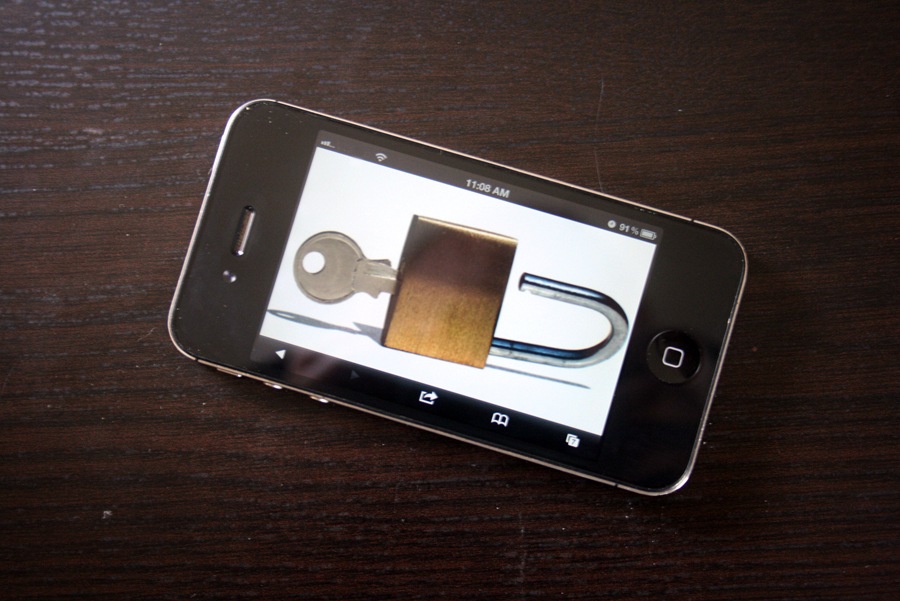
New rules governing exemptions to the Digital Millennium Copyright Act (DMCA) dictate that it will soon be illegal to unlock your smartphone without carrier permission. Jailbreaking your tablet is also forbidden, as is ripping a DVD into a digital format.

Every three years, the Register of Copyrights at the Library of Congress reviews the ways in which consumers may or may not circumvent Digital Rights Management (DRM) of copyrighted products covered under the Digital Millennium Copyright Act (DMCA) — what you can and cannot do, legally, with the gadgets and digital content you buy. And yesterday, the latest rulings (see below) came in — some of it good, some bad, some decidedly insane. Here is a quick breakdown of what you cannot do with your smartphones, tablets, DVDs, game-consoles, and more, according to the law.

Note: The new rules below go into effect on Sunday, October 28, 2012.

Jailbreaking smartphones: Allowed

Jailbreaking smartphones to allow users to download “unauthorized” apps has been legal under DMCA since 2010, and nothing changes for this year.

Jailbreaking tablets: Illegal

In a decision that some might call “crazy,” the Register has decided that tablets may not be jailbroken, even though smartphones are exempt. Their reason? Because dang near anything could be considered a “tablet” these days, including e-readers, handheld game consoles, or even laptops. Because of this so-called lack of definition, the Register says that jailbreaking your tablet (or “tablet”) is against the law.

Unlocking smartphones: Illegal

That’s right — unlocking your smartphone so you can take it to another wireless carrier will soon be illegal, unless authorized by your carrier. This, despite the fact that the Register has allowed unlocking since 2006.

There are some exceptions to this rule — but they aren’t worth cheering for. Specifically, you may unlock any phone you own now, or buy between now and “ninety days after the effective date of this exemption.” As of January 2013, however, unlocking your device without permission is decidedly against the law.

Now, you’re probably asking “Why in tarnation did they change this?” Because, according to the Register, the firmware on your phone — the software that, among other things, locks you into a specific carrier — is copyrighted, and therefore cannot be changed without violating the law. And since there are many more unlocked handsets on the market nowadays, and wireless carriers often provide ways for customers to unlock their phones, there’s really no reason for you to do what you want with your device. Makes sense, right? Right?! Sigh…

DVD ripping: Illegal (mostly)

Ripping a DVD you legally own so you can watch the movie or TV shows on a device that cannot play DVDs, like a tablet or laptop without an optical drive, is illegal. Same goes for CDs. As Michael Weinberg of consumer advocacy group Public Knowledge notes, this rule “flies in the face of reality,” especially given the fact that both the MPAA and RIAA agree that consumers should be allowed to do this.

There are some exceptions to this rule, however: The Register now allows ripping DVDs in order to use “short portions of motion pictures for the purpose of criticism or comment,” as long as the clips are used in noncommercial videos, documentaries, and videos used for teaching purposes in kindergarten through college.

Game console modding: Illegal

Modding your game console to run software other than what came on the device is still illegal for the same reason that unlocking a smartphone is illegal — it requires changes to the firmware, which are copyright protected.

Wins for disabled customers

As maddening as some of the changes listed above may be, the Register did make some good exemptions for customers with vision and hearing impairments. Namely, hearing impaired customers may circumvent any “technological measures” included in e-books that prevent them from using read-aloud technology. Also, it is now legal to crack DVDs in order to create DVD players “capable of rendering visual representations of the audible portions of such works and/or audible representations or descriptions of the visual portions of such works to enable an individual who is blind, visually impaired, deaf, or hard of hearing” — as long as the DVD was obtained legally, of course. Researchers are also allowed to crack DVDs for research purposes.

DMCA facepalm

Clearly, some of these new rules (no jailbreaking tablets, no ripping DVDs so you can watch them on tablets, no unlocking phones without permission) are ridiculous from a user standpoint. But such is the complicated (some would say “broken”) nature of copyright law. Let us know your thoughts on the new rules in the comments. And check out the full ruling below.

DMCA Rules 2012


Source : digitaltrends[dot]com

What I love and what I hate about Windows 8

Windows 8 love hate 5 things pros cons

Radical design changes mean there is both plenty to adore in Windows 8, and plenty to abhor.

Today’s the big day. Microsoft’s Surface tablet should already be on doorsteps, and retail shelves across the country. The virtual Windows Store is officially open for business. We’re about to be awash in laptop-tablet convertibles, and somewhere, Steve Ballmer is smiling.

Windows 8 is finally here.

Few operating systems have sparked as much divisiveness as Windows 8 and its shift to a mobile-first focus, however. I’ve spent a year playing with Windows 8 in its various preview iterations, and the final release. Is it perfect? Nope. Is it an absolute terror? Far from it. As is always the case, the true answer lies somewhere in the middle, and your level of pleasure directly relates to the type of machine you’re using.

Sticking with that yin and yang approach, here are five things I love about Windows 8, balanced out by five Windows 8 quirks that drive me absolutely bonkers. Momma always said sweet comes before sour, so let’s start with the good news first.

5 things I love about Windows 8

1. Blink and you’ll miss it boot times. There’s a lengthy technical explanation detailing why Windows 8 hits the floor running faster than an over-caffeinated recruit at boot camp, but the nuts-and-bolts don’t really matter; the important part is this thing is fast. Windows 8 starts twice as fast as Windows 7 on my laptop, which has a mechanical hard drive.

Slap this puppy on a solid state drive and it really shines. I’ve been playing with a Dell XPS 12 convertible Ultrabook with an SSD and it only takes 7 seconds to hit the login screen from complete shutdown. Shut down and wake times are virtually instantaneous. It’s amazing, and it’s excruciating to log on to a pokey Windows 7 PC after you’re used to it.

2. Syncing in the rain. Microsoft’s shift to a unified, cloud-touched Windows Account login was a stroke of genius. It’s wonderful signing into a completely new Windows 8 PC and finding your desktop, contacts, email accounts and SkyDrive contents sitting there waiting for you, identical to the setup on your home computer.

windows 8 multi monitor setup3. Improved multi-monitor support. Okay, most people might not care about this, but for geeks like me, the vastly improved multi-monitor support in Windows 8 is nothing short of heaven. Taskbars everywhere, simple multi-screen picture spanning, and the ability to run separate Modern-style apps and desktop programs on side-by-side displays? Yes, please!

4. Type to search. I still wish Windows 8′s desktop mode had a proper Start button, but Windows 8′s new search function has grown into one of my favorite parts of the operating system. It’s superbly simple: Head to the Start screen and just start typing the name of the file you’re looking for. No extra button pushes; no superfluous Live Tile selections. Just start typing. Windows 8′s automatic filter handles the rest.

5. True PC power in portable tablet form. I’ve never been a big tablet guy, partly because I already spend a lot of time on my phone and my laptop, and partly because tablets just never had enough oomph for me. Even top-of-the-line tablets with quad-core mobile CPUs seem to chug when I push them hard enough. Windows 8 devices bring true Intel Core processor to the tablet form factor, and the extra horsepower shows. Check out this impressive speed test clip at Maximum PC, which shows an Acer Windows tablet running a lowly Intel Atom processor. Upper-end convertibles bring even beefier Core i5 and i7 CPUs to the table, albeit for a truckload of cash.

5 Things I hate about Windows 8

Unfortunately, I can’t keep babbling on about Windows 8′s baked-in security features and the awesome additions in the file manager, version histories, virtualized storage and more. It’s time to talk some smack.

1. No Start button. Really, Microsoft? Protip for PC users: in Desktop mode, slide the cursor down into the lower-left corner. A picture of the Modern Start screen will pop up. Ignore it, and right-click instead to bring up a big list of desktop options, including Run and Control Panel options that help you avoid the Modern Start screen as much as possible. It’s no Start button replacement, but it’ll get you by.

2. Jarring Dr. Jekyll and Mr. Hyde interface. Despite my extensive Windows 8 use I’m still not completely comfortable with its “two operating systems in one” interface. Classic-style Windows programs run in desktop mode; new apps stick to the Modern interface. Swapping between the two depending on which app you’re using just kinda makes your brain hurt, though the ache slowly starts to dull after time. It’s so… inelegant, compounded by the fact that Windows 8 apps and Desktop apps sport totally different control schemes. More annoyingly, Windows 8 treats the Desktop as a singular entity, no matter how many programs you have open inside of it, and classic programs don’t enjoy the same auto-update feature offered for Windows 8 apps.

Acer windows 8 touchscreen laptop

3. Windows 8 sucks with a mouse. This is a big one. Navigating around Windows 8 with a mouse flat-out sucks, and it’s compounded by the operating system’s less-than-streamlined design. The far-ranging Live Tiles on the Start screen require much more scrolling than Windows 7′s neat and compact Start button (See: Number 1). Right-click options suck too, appearing at the bottom of Windows 8 apps rather than where you’ve clicked. Closing an app requires clicking at its top, then dragging it down to the bottom of the screen; easy on a tablet, an annoyance with a mouse. I could go on.

Using a touchscreen or a multi-touch touchpad makes some of those qualms go away, but it’s irritating that Windows 8′s mouse controls and gesture controls are slightly different; finger finaglers can swipe in the Charm bar from anywhere along the right edge, while mouse jockeys need to hit what feels like a specific pixel in the lower-right hand corner. The poor mouse controls alone pretty much ensure I won’t upgrade my desktop to Windows 8 anytime soon. Keyboard commands work well, though.

4. Crappy multitasking. Android and iPad owners will love Windows 8′s Snap feature, which docks a Windows 8 app to one side of the screen and allows you to run a second app in the remaining 75 percent of the display. Computer users engrained in having a half-dozen windows open at once will hate it. Fortunately, you can still resized open windows to your heart’s content in desktop mode.

5. Where are the apps? Microsoft bet the farm on its move to a mobile-friendly interface, and all of it — snapping apps, Live Tiles, the Modern interface — critically depends on having a robust Windows 8 app ecosystem. That ecosystem just isn’t there yet. The Windows Store only has around 5,000 apps available. A few standouts aside, the vast majority of those apps are trivial time wasters or Web apps shoehorned into a Windows app shell. Microsoft’s working hard to lure developers to their walled Windows Store garden, but as it stands, Windows 8 is the virtual equivalent of a Kardashian: beautiful, but with no value beneath the pretty veneer.

windows store new releasesThe lack of apps forces you to mainly stay in desktop mode, which feels a lot like Windows 7, missing Start button aside. But that begs the billion dollar question for Microsoft: If desktop users spend most of their time trying to get Windows 8 to behave like Windows 7, why shouldn’t they just stick with Windows 7?

Final tally

I tried to keep the pros and cons balanced here, but equal numbers alone don’t tell the whole tale: for traditional desktop users, those five cons vastly outweigh the multiple pros Windows 8 brings to the table. The nuts-and-bolts improvements are a pleasure, to be sure, but there just isn’t a compelling reason for most PC users to upgrade from Windows 7.

Mobile mavens need to look long and deep at Microsoft’s new operating system, on the other hand; the speed enhancements and powerful account syncing makes Windows 8 a much more intriguing proposition for on-the-go computing, especially if you’re already tied into Microsoft’s ecosystem.

For what it’s worth, I plan on picking up a touchscreen convertible and upgrading my multi-touch enabled notebooks to Windows 8 ASAP — but my desktop’s staying Windows 7 for the foreseeable future.


Source : digitaltrends[dot]com

Assassin’s Creed III is Ubisoft’s most pre-ordered game of all time

French video game publisher Ubisoft has announced that Assassin’s Creed III has become the company’s most pre-ordered game of all time. The title has earned more than 40 prestigious awards since first being announced including Best E3 Action Game from Game Informer and IGN.

The studio didn’t reveal any hard numbers but senior vice president of sales and marketing Tony Key said the title already had twice as many pre-orders as the previous record holder, Assassin’s Creed: Revelations. Overall, the franchise has sold more than 40 million copies worldwide since the first game in the series was released in November 2007.

Assassin’s Creed III was co-developed by Ubisoft Montreal and six other studios. The game is set during the American Revolution in the late 18th century where new hero Connor will fight for liberty against ruthless tyranny in what is described by Ubisoft as the most stylized and fluid combat experience in the franchise to date.

Assassin’s Creed III launches next Tuesday on Xbox 360 and PlayStation 3 game consoles. The game will be a key launch title for Nintendo’s Wii U console on November 18 before debuting for PC gamers on November 20.

In the event you missed it, Ubisoft also recently announced plans to bring Assassin’s Creed to the big screen. In an interesting move, the studio is sidestepping Hollywood and will be producing the film itself. Michael Fassbender from “Prometheus” and “X:Men: First Class” will play the lead role. No further information has been released thus far.


Source : techspot[dot]com

It's free
index