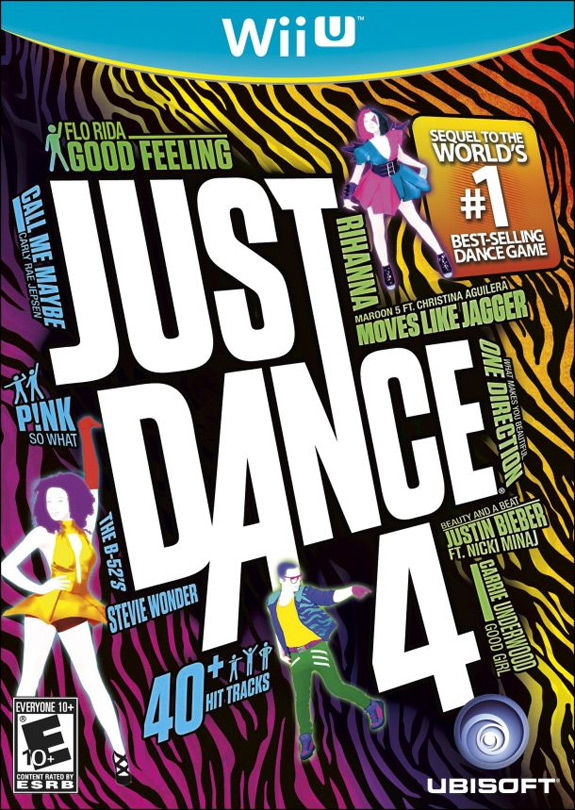
Just Dance 4 for the Wii U review: New Moves, Old Problems

Ubisoft’s dance franchise ports itself over from the Wii version to Nintendo’s new Wii U system, and brings along with it the same problems that plagued it in the first place.

If you already own Just Dance 4 on the Wii, then you have this game minus the few minor functions that have been added to the Wii U version, along with the slightly, very slightly, enhanced graphics. If you are new to the series though, then you have a decision to make.

Ubisoft’s Just Dance series began its life on the Wii. Using the Wii Remote, you mimic the dance moves of those on screen, and try to pull off perfect moves for a higher score. Of course, the game required that you hold the Wii Remote, and it judged all of your body’s movements based on this. It was easy to fool, and even in the best of situations the judging of your movements could be somewhat subjective. The series needed more from you, it needed you to want to pull off the moves. And then the Kinect came along.

Without getting into a debate about the “best” hardware, the Kinect’s full body motion tracking is just better suited for dance games. It just is, and there really isn’t much that can be argued against that. That doesn’t mean the Wii (and Sony Move) games aren’t still fun, it just means that the games have an inherent flaw in them that has been highlighted by hardware better suited for this style of game. That same flaw continues to plague Just Dance 4 as it makes its move to the Wii U.

If you are already familiar with the series, then there isn’t much more that needs to be said. The same problems exist, and if you are fan that means you have already accepted these limitations, and that’s great. You need to be willing to put more into the game than if it was watching your whole body, but for Wii U adopters that do want a dance game and are willing to embrace the Wii Remote as the arbiter of your movements, more power to you. The Wii U version will act just as the previous offerings did on the Wii, so it can still be fooled easily, but if your entire goal is just to get a high score you are missing the point of these games to begin with.

The Wii U version is an identical port of the Wii version – or perhaps more accurately the PlayStation Move version, which came with HD graphics where the Wii’s did not. That is almost a non-issue though, as the graphics are very much secondary in this series. But it does present a decent visual offering, filled with lush color and color corrected dancers doing weird and awesome movements.

These background dancers are there to give you your queues, along with a series of icons that flash by at the bottom. But it is tough to track on the first attempt, and with no way to slow down the dances or take them section by section, you need to be willing to put in some time on each song. Thankfully, the dances are so odd that they are usually fun to watch, even if you don’t like the song.

That lack of a tutorial is a problem that is apparent in all versions of Just Dance 4, but what makes this offering unique is the GamePad, which is sadly underutilized.

The majority of the time, the GamePad is completely useless. It offers the option to select the next song, and you can write messages that then appear on the TV, but in most instances it is easy to ignore. The one exception is the Puppet Master Mode, which allows you to choose what dance move those dancing will have to perform next. In theory it is a neat idea, but in practice choosing one of four dance moves every few seconds isn’t much more fun than just watching your friends try pre-selected dance.
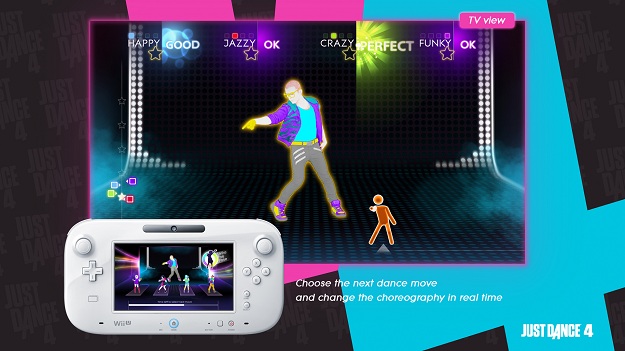
The rest of the game is as it was. You have a somewhat meager 40+ tracks (and more are certainly on the way via DLC), along with the “Just Sweat” mode (which turns the dances into workouts that offer target goals) song mashups, and versus modes, including the new “Battle Mode,” which pits you head-to-head against your friends.

The content is solid, and there are a lot of options to dive into. As long as you can get over the limitations and don’t mind that the GamePad is basically a paperweight for this game, you can squeeze a lot of fun out of this game.

Conclusion

It’s best not to think of this as a Wii U game, but rather a dance game that just happens to be on Nintendo’s new system. The Wii U integration is shallow at best. The rest of the game is packed with content, which is nice, but the same problems that plague the Wii and the Move version exist here as well, and it’s a limitation that is not going away.

Just Dance 4 is a decent game that is better on the Kinect. The Wii U version has a lot to offer, but you really have to want to embrace this game in order to get the most of it.

Score: 6 out of 10

(This game was reviewed on the Wii U using a copy provided by the publisher)


Source : digitaltrends[dot]com

ESPN Sports Connect review: The Wii U’s mediocre answer to Wii Sports

Ubisoft and ESPN team up (sort of) to offer a series of mini games based on six sports that is positioned to take up the mantle of Wii Sports.

With any motion based game system, it’s natural to have a sports title that boils the signature characteristics of those sports down to simple movements that allow you to experience that sport without the pesky burden of realistic physics or complicated control schemes. These games are more than just sports titles though, they are de facto tutorials that help to introduce you to the ends and outs of the new hardware in a way that should be accessible for everyone. The Kinect and the Move both have plenty of game like this, but none can hold a candle to the king of this style of gameplay, Wii Sports.

This time out for the Wii U, however, Nintendo went a different direction and released Nintendo Land, a collection of original mini-games that are great for a party environment, but more importantly show the numerous capabilities of the new system and especially the new GamePad controller. It’s a tutorial, just not a sports-themed one. That’s where Ubisoft’s ESPN Sports Connection comes in.

The game features six sports to choose from: tennis, golf, baseball, soccer, car/kart racing, and football. Each of these six titles is a truncated version of its sport, with the essence of each striped down and simplified. Baseball, for example, has you as the pitcher looking at the strike zone, and the movement and speed you make by swiping your finger on the touchscreen is how the pitch is thrown. If you want a fastball, quickly swipe your finger in a straight line. If you want a change-up  start fast and then end slow. For a curve, make a half circle motion. If the ball is hit, you then become the fielder, and you’ll need to position the GamePad towards the ball as if it were a mitt and you were physically in the field. For a pop fly, hold the controller up and you’ll make a catch, for a grounder, look for it low. The batter, on the other hand, swings the bat using the Wii Remote, as you might expect.

Similarly, tennis also uses the touchscreen’s abilities to an alarming degree. To serve you swipe up, then down, and to return you do the same. It is less of a game and more of a test for the technology, and a fairly dull one at that.

Likewise, football is a shell of the actual game. The defense controls the GamePad, and at the start of each play you select on of three plays that you expect the offense will run – essentially a small, medium, or big. Once the play begins, you will then face the player who ends up with the ball and select if they will go right, left, or center. It is just a technological way of playing rock-paper-scissors again and again. The offense fares a bit better, as you use the Wii Remote to mimic the act of throwing the football, which does nothing to highlight the new technology.  

For soccer there is a small version of a traditional soccer match to play, but the technology is used better in the shootout, as you face the net and swipe the direction and path of how and where you want the ball to be kicked, while the Wii Remote becomes the goalie’s tool and that player chooses the side they think the ball will go.

The rest of the games face a similar treatment. The racing is traditional kart-style racing, while the golf is similar, but much less engaging than the other Wii golf games. Of the six, none are deeper than a quick mini-game, and while the GamePad is integrated, it isn’t particularly engaging to use. The touchscreen is just one of the GamePad’s options, and swiping it – while novel – isn’t the most fun way to play. Just because you can do something doesn’t mean you should.

And as for the ESPN integration, there is the familiar jingle to accompany the logo, but that’s about it. That’s somewhat fitting for this game though. It’s a collection of minigames that aren’t all that interesting or entertaining, and the GamePad’s inclusion doesn’t really make a huge difference. With just a few minor changes this could have been a Wii title, and it would have been a more fun game at that.

Conclusion

Ubisoft’s ESPN Sports Connection fills a void that wasn’t crying out to be filled, and it does so in a minor way. The games are all slight diversions, and the GamePad isn’t used particularly well. The Wii Remote is usually the better controller to use, but you’ll need to have the Wii Motion Plus Controller and even then you may run into some odd calibration problems. The ESPN license is also barely used, and was tacked on to raise the profile of an otherwise instantly forgettable title.

If you are interested in seeing the Wii’s full capabilities in a fun minigame setting, check out Nintendo Land instead. There are a few fun moments to be had in ESPN Sports Connection, but they are as brief and fleeting as this game’s lifespan.

Score: 4 out of 10

(This game was reviewed on the Wii U using a copy provided by the publisher)


Source : digitaltrends[dot]com

Samsung tops phone sales in third quarter

Samsung tops phone sales in third quarter

The Galaxy S3 led the recent sales bump

According to technology research firm Gartner, Samsung outsold Apple and Nokia to claim the highest mobile phone sales numbers for the third quarter of 2012.

The report says that in addition to selling 98 million phones in Q3 (gaining a 22.9 percent market share), Samsung also has the top-selling smartphone of the quarter, the Galaxy S3.

In the sub-market of smartphones, Samsung sold 55 million units, while Apple sold 23.6 million.

Nokie outsold Apple in moblie phone numbers for the quarter with 82 million sales, though it only sold 7.2 million smartphones.

The big little picture

With Samsung's flagship smartphone, the Galaxy S3, making up the majority of its quarter sales, it's clear that the Korean tech manufacturer has carved a new, more premium path for its sales bias.

Apple maintained its strong stance with the record-setting introduction of the iPhone 5, but the product's various bugs and flailing maps app may have kept it out of more consumers' hands.

Nokia continued in its long-standing bargain phone success, and has just now begun to see sales from its Windows Phone 8 Lumia 920. Sales of the Lumia 920 may suffer due to recent reports of unexpected reboots and battery issues.

Now that all the big manufacturers have their phones on store shelves, the fourth quarter and its holiday bump will see some stiff competition for consumer attention between these mobile phones giants.


Source : techradar[dot]com

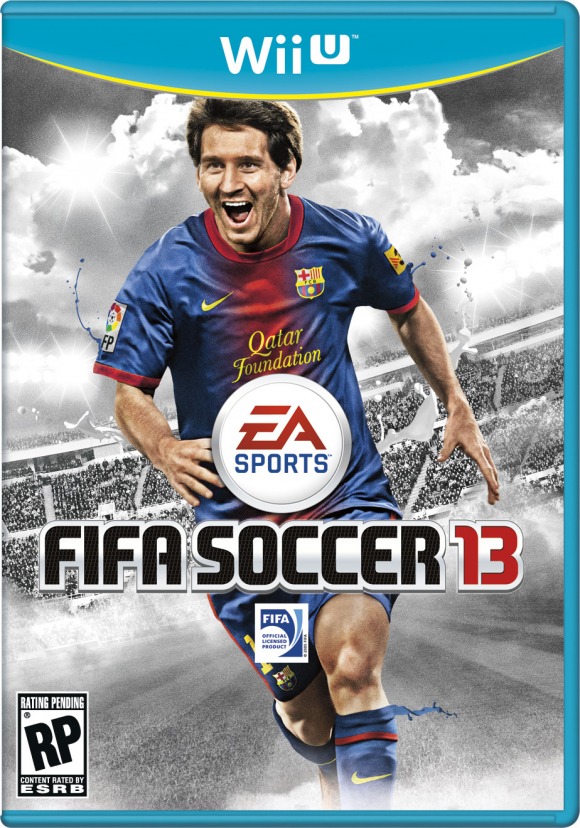
FIFA 13 for the Wii U review: The Good, the Bad, and The Absent

EA Sports is going all in with its support of Nintendo’s Wii U, offering both Madden 13 and FIFA 13 with all new features thanks to the GamePad integration. In the case of FIFA, that integration is impressive, but that development comes at a cost.

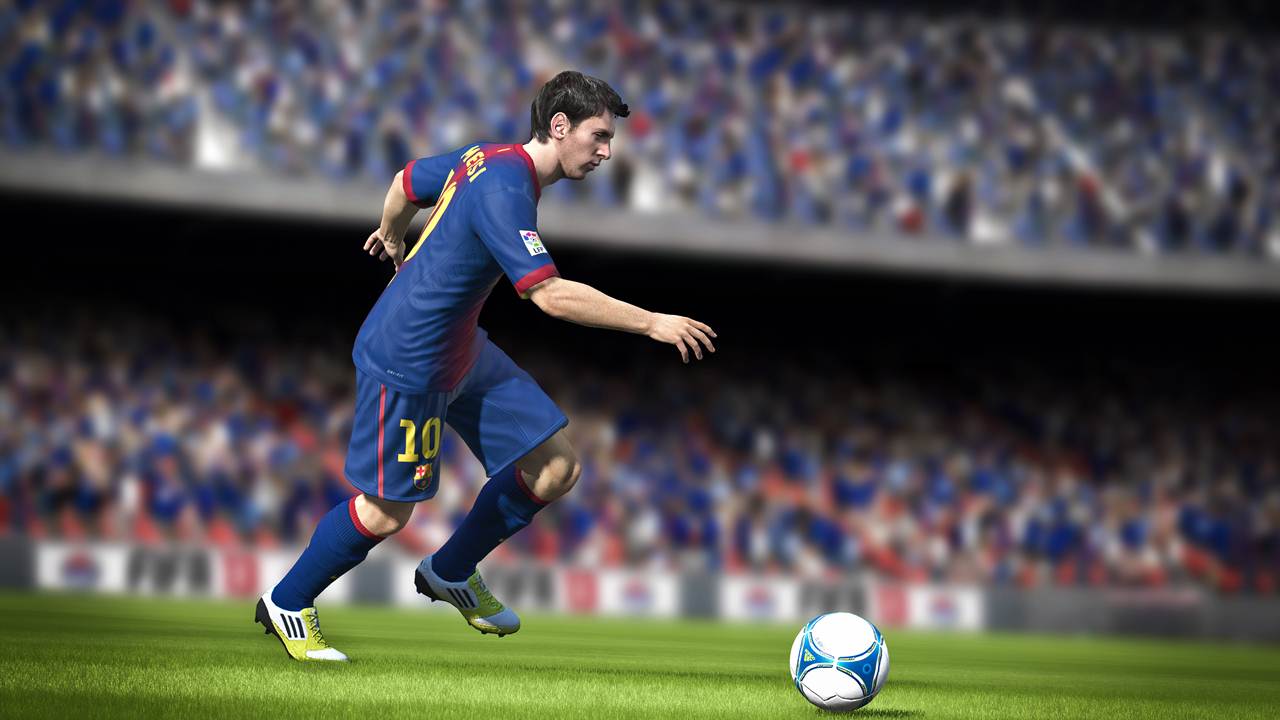
Over the last few years the FIFA franchise has been continually fine-tuning the gaming experience, offering what may seem like tweaks, but are actually fundamental evolutions of the series. New physics continue to push the series in a more realistic direction, which in turn offers a new and more polished game. You might not immediately notice the changes on the surface, but as soon as you start to play the game you can tell that there are differences separating the annual iterations. So those that are fans and have already played FIFA 13 are going to notice a few setbacks.

Player Impact Engine, tactical defending, and precision dribbling are lacking some of the fine-tuning found in the Xbox 360 and PS3 version, something EA Sports has been up front about for a while now. The development of FIFA 13 for the Wii U was consuming and it took a great deal of time – time that the teams working on the Xbox 360 and PS3 versions used to fine tune what became the finished product. The Wii U team didn’t have that luxury. This is fairly common for ports of games on new hardware, and EA Sports has constantly been a victim of this – or perpetrator, depending on your point of view. Regardless, the new additions were a good step forward for the series, and while they aren’t gone, they aren’t the same either. 

The addictive Ultimate Team card game is also absent. EA Sports claims this is primarily because the Wii U’s online infrastructure is still in its infancy, but regardless its absence is unfortunate.

In general, the game is closer to FIFA 12 than FIFA 13 in many ways. The graphics are on par with the PS3/Xbox 360 versions for the most part, and the animations flow smoothly with the 60 fps. The effects like sun light and shadow are better than before, but it doesn’t come close to touching the full potential of the Wii U.

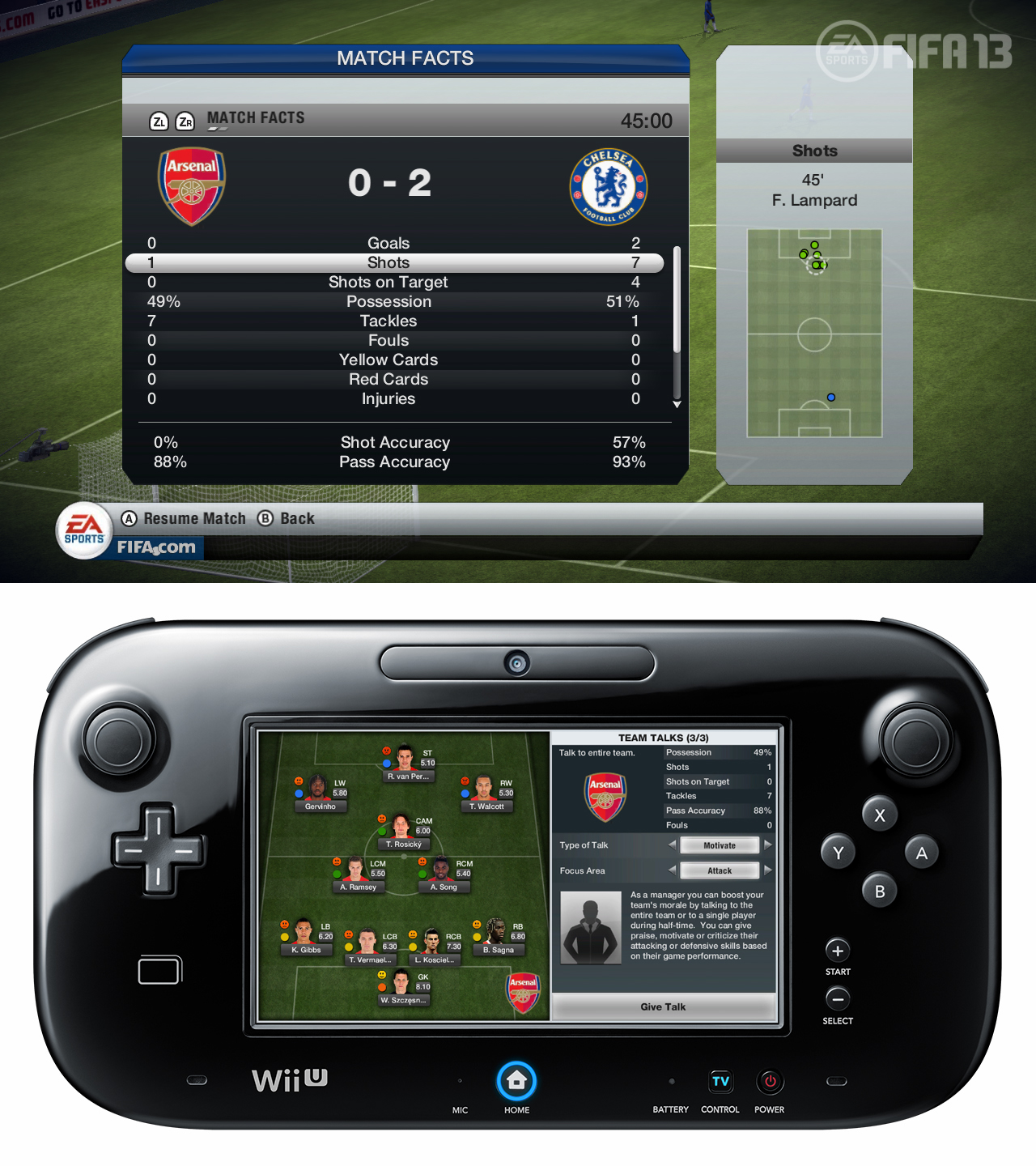
But while the game does sacrifice a few things in the name of making a launch window release, the time that wasn’t spent on fine tuning some of the background mechanics and finding a way to make the Ultimate Team mode work was well spent on the inclusion of the GamePad. The tablet-like controller uses every inch of the smaller display, cramming all the information you could possibly need onto the touchscreen.

Formations can be realigned on the fly, and you can mark men by touching their names. You can use the radar to find where your chosen player is, then send them up or down field. Substitutions are a matter of tapping the players you want to come in for those heading out, fatigue and individual statuses of players can be shown by selecting them on the touchscreen, and tactics can be changed with a button press.

This also creates a low impact managerial gameplay mode, similar to the previous manger modes but easier to use. There is an option to take a hands-off approach and not play the game at all, but rather act as the manager and treat it all like one tactical exercise, making the changes necessary and managing the teams without once dribbling the ball yourself. It is a mode that should appeal to the hardcore fans that love their tactical battles, as well as those that may be just learning the franchise and aren’t prepared to play quite yet.

If you prefer, you can also play the full game on the GamePad. Doing this offers you a few other options like touching the player you want to pass the ball to and shooting by hitting the right thumb stick, which brings up a net on the GamePad that you can touch where you’d like the kick to go. It is an intriguing idea, but feels a bit gimmicky. You can also shake the GamePad to bring up the net visual, but it seems somewhat ridiculous to shake an expensive new piece of hardware, and it is distracting anyway. Sprinting at the goal, then suddenly shaking the GamePad doesn’t feel natural – or at least not nearly as natural as just hitting the shoot button. It is an entirely optional feature though.

Given another year or two with the hardware, EA Sports has the potential to do some impressive things with this series. Once the developers can synch up the development cycle for the Wii U with those of the PS3 and Xbox 360, the Wii U version will actually be superior to its cousins, even though they are mostly the same.

In all other ways, the game is pure FIFA. The GamePad controller is comfortable, and the gameplay is responsive. Five players can also join at once.

Conclusion

It all comes back to the GamePad inclusion. The Wii U development forced a few sacrifices, which is not surprising for new hardware, but the additions are good for now and intriguing for the future. Still, you would expect a little more of the more powerful hardware, and fans will notice the things that are missing.

It really is a trade off. You lose an addictive game mode and some of the improvements to the physics for a chance to micro-manage the game in a way that hasn’t been possible before. The options have been available, but it hasn’t been practical to use them as much as you can now. It all highlights the potential of the series, which is huge.

Score: 8.5 out of 10

(This game was reviewed on the Wii U using a copy provided by the publisher)


Source : digitaltrends[dot]com

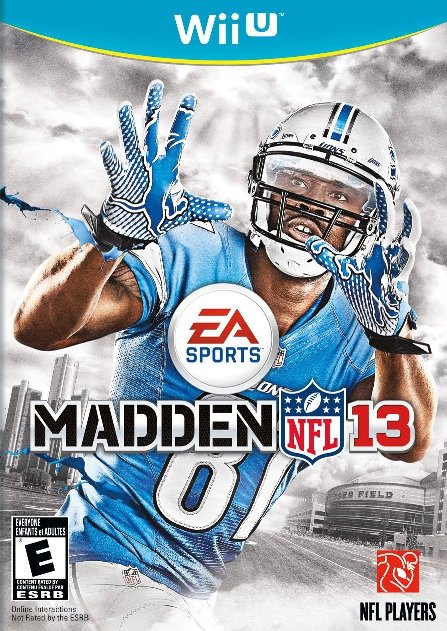
Madden 13 for the Wii U review: Two Steps Back, One Leap Forward

EA Sports brings Madden 13 to the Wii U, but the transfer was a rocky one. Cuts were made, but the flipside is a very good one.

While the Wii U version of Madden 13 is of course a port of the Xbox 360 and PS3 offering, it is not an exact one. In fact, it’s significantly altered for better and worse – perhaps a bit more on the worse side. For a full review of the previously released versions and all the features available, click here, but know that there are some key differences.

It isn’t uncommon for launch title ports to show some rough edges. Developers are typically given the hardware, then asked to port over a game on the unfamiliar new system in less time than a proper development cycle should take. It’s a difficult task for anyone, and EA Sports is no different.

For the most part, the game is the same, but minus a few key features. It also looks just a touch duller on the Wii U, but the difference isn’t that significant – except that you would hope for more from new hardware, and “adequate” isn’t exactly a ringing endorsement. The Wii U is a far more powerful system than you might imagine from this game, and the next year’s offering for Nintendo’s system should be greatly improved. But the graphics are only a small matter compared to the missing features.

One of the biggest loses is this year’s heavily touted addition, the “Infinity Engine,” which altered the physics for the better. Player animations reacted more realistically, which improved the overall gameplay and presentation. The series did fine without it for years, but it is a step back for the franchise – albeit one that only those that played the 360/PS3 version will register. More noticeably is the loss of the Madden Ultimate Team and online team play.

If you are a fan of playing Madden online, these omissions are major. There’s no getting around that. Whether the demands were just too great, or the Wii U’s online capabilities were a question mark, the fact remains that the online side of this game is a pale imitation of its cousins on the other systems.

The rest of the features remain intact, however, and they come with one major addition: the integration of the Wii U’s GamePad.

The GamePad offers two boons to players. First, you can enter “detached mode” and play the full version of Madden 13 on the GamePad rather than the TV. This is one of the best features of the Wii U, but it’s one that developers need to specifically program in so credit to EA Sports. The picture looks identical on the GamePad, and it moves just as well. There is no limitation in the transfer, so you can play all of the modes you would on the TV.

But the game really shines when you use the GamePad in conjunction with the TV. During gameplay, the GamePad becomes the playbook, removing the play calling from the TV and putting it on the touchscreen. Shuffling through the various plays this way is easy, but the real benefit comes during the plays.

Once you have made your choice – but before the snap – if you are on defense you will see a display of all the players moving into formation, listed by their positions and names. If you touch that player, you will take control of them, but you will also be able to change their pattern. If you’d rather the safety blitz than stay in his formation, you can. If you want to double team a particular offensive player, you can do that too. You can also choose your set audible formations from a list, rather than the occasionally cumbersome controller navigation.

While on offense, the GamePad becomes your source for creating your own audibles via hot routes. Simply select the receiver then draw the route you want him to run. Think you can do better than the best NFL brains? You can now prove it.

This is such a natural use of the GamePad, that it would have been disappointing if the game didn’t use this feature. It just fits perfectly. Hopefully the game will continue to develop this and include even more options and more on the fly customization.

But while it is an excellent addition, most of the plays are better left undisturbed, and the desire to constantly tweak the plays is eventually going to become counterproductive. Still, having the option feels like a giant step ahead for the series. Or at least, it has the potential to be a giant step forward once the rest of the package is up to par.

The Wii U will also allow up to five players at once, using the Wii Remotes with nunchucks, and/or the Pro Controller. The GamePad in this instance become a standard controller, and the option to alter routes is not available, nor is selecting plays on only the GamePad – you still do, but the choices are also reflected on the TV. It’s the only fair way to do it.

Conclusion

This year’s Madden 13 for the Wii U is a tradeoff. At the cost of gutting the online section, the game introduces the GamePad, the best way to play a football video game. It just makes sense to use the GamePad like this, and it should surprise no one if EA Sports finds a way to offer a comparable experience on the other systems, perhaps using Microsoft’s Smartglass or a mobile apps.

Next year’s Wii U offering should correct the online issues, but for now it is an undeniable hole in the game. But for fans that have been removed from the series for a few years, or have only played the Wii versions, than the lack of graphical superiority – despite the more powerful system – won’t make much of a difference. In all other regards though, it is the same game, but with an even brighter future.

Score: 8 out of 10

(This game was reviewed on the Wii U using a copy provided by the publisher)


Source : digitaltrends[dot]com
It's free
index